Troubleshooting John Deere 2630 Touchscreen Issues and Maintenance Guide
Update Time:02.04.2026
Troubleshooting John Deere 2630 Touchscreen Issues and Maintenance Guide
Maintaining your John Deere 2630 equipment is essential for optimal performance, especially when dealing with touchscreen and display issues that can disrupt your farming operations. At KernfixS, a trusted leader in industrial automation solutions, we specialize in providing high-quality repair and replacement services for John Deere 2630 monitors and touchscreens. This guide combines expert insights with practical advice to help you maintain your equipment, troubleshoot common problems, and discover how KernfixS can support your needs with top-tier products like our John Deere 2630 Monitor Display Touch Screen Panel.
Understanding the John Deere 2630 Display
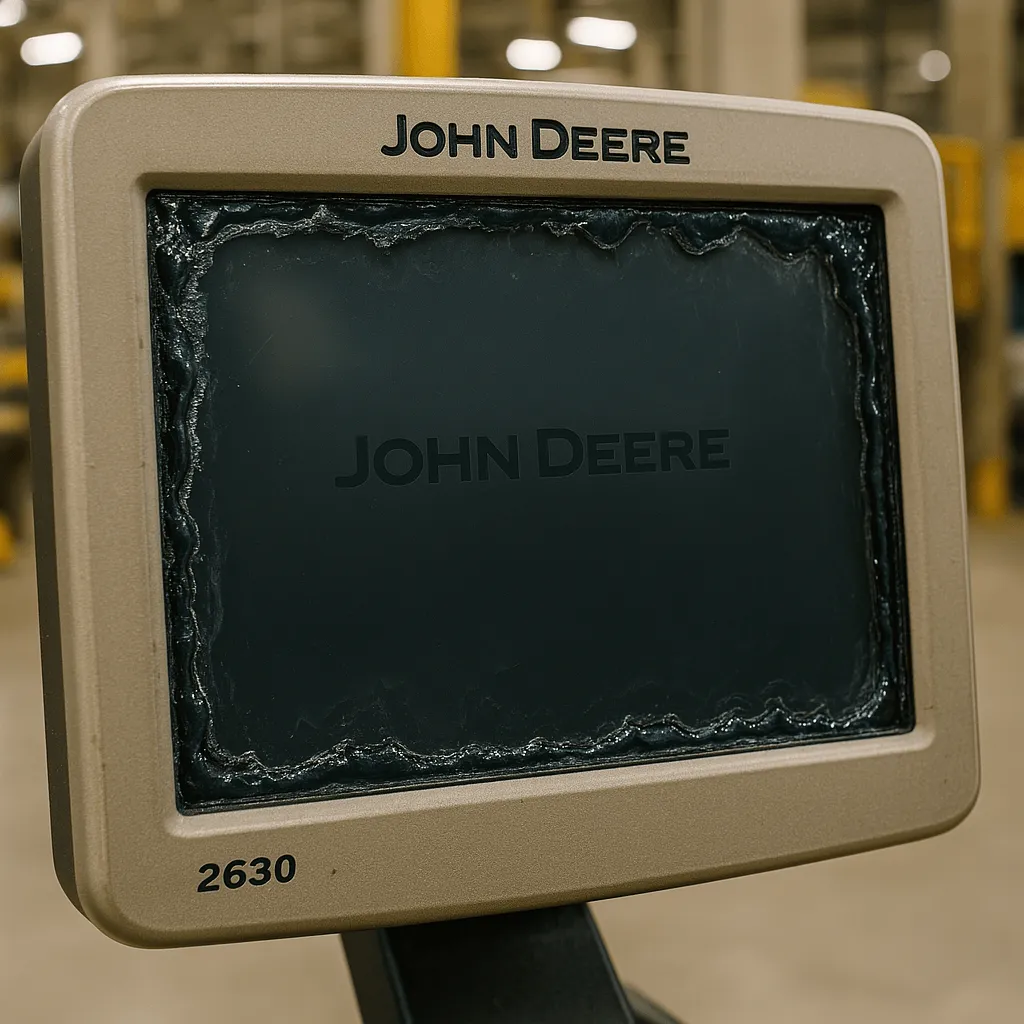
The John Deere 2630, a popular model in agricultural machinery, features a touchscreen display that controls various functions. However, issues like unresponsive screens or gel leakage (as noted in discussions on The Combine Forum) can arise over time. Regular maintenance is key to preventing these problems, and KernfixS offers specialized repair services to address such concerns, ensuring your equipment stays operational.
Maintenance Tips for John Deere 2630
Regular Cleaning: Wipe the touchscreen with a soft, dry cloth to remove dust and debris. Avoid harsh chemicals that could damage the surface.
Check for Gel Leakage: Inspect the display edges for signs of gel leaking, a common issue highlighted by AgTouchscreens. If detected, professional repair is recommended.
Firmware Updates: Ensure the display’s software is up to date using manuals from Deeremanuals to avoid performance glitches.
KernfixS Support: Our team at KernfixS provides comprehensive maintenance kits and expert advice to keep your 2630 in top shape. Visit Our Products for more details on our services.
Troubleshooting John Deere 2630 Touchscreen Issues
If your 2630 touchscreen becomes unresponsive, follow these steps:
Restart the System: Power off the equipment and restart to reset the display.
Inspect Connections: Check for loose cables or connectors, as suggested by The Combine Forum users.
Calibrate the Screen: Use the manual from Deeremanuals to recalibrate if the touch response is off.
Seek Professional Help: For persistent issues like gel damage or LCD failure, contact KernfixS for our repair service, which removes gel and renews the touchscreen.
How to Replace the 2630 Front Glass
Replacing the front glass requires precision. Here’s a step-by-step guide:
Gather Tools: You'll need a screwdriver, replacement glass (available from KernfixS), and a clean workspace.
Power Down: Turn off and disconnect the 2630 to ensure safety.
Remove Old Glass: Carefully pry off the damaged glass, following AgTouchscreens’ “Air Gap” update method to avoid further damage.
Install New Glass: Align the new glass and secure it, ensuring no air bubbles.
Test the Display: Power on and test the touchscreen functionality.
KernfixS Advantage: Purchase high-quality replacement parts from KernfixS for a seamless replacement.
Why Choose KernfixS?
With years of experience in industrial automation, KernfixS is committed to delivering reliable solutions for John Deere 2630 maintenance and repairs. Our products are designed to eliminate common issues like touchscreen bubbles and gel leakage, as noted by industry experts. Explore our range at Our Products and trust KernfixS to keep your equipment running smoothly.
FAQ
Troubleshooting John Deere 2630 Touchscreen Issues: What should I do if my touchscreen stops responding? Restart the system, check connections, and contact KernfixS for advanced repair services.
How to Replace the 2630 Front Glass: Can I replace the glass myself? Yes, with the John Deere 2630 Monitor Display Touch Screen Panel from KernfixS, but professional assistance is recommended for best results.
What Causes Gel Leakage in the 2630 Display? Gel leakage often results from prolonged exposure to heat or pressure. Regular inspections and KernfixS repair services can resolve this.
How Often Should I Service My John Deere 2630? Service every 200-300 hours or annually, depending on usage, as recommended by Deeremanuals and KernfixS experts.
By following this guide and leveraging KernfixS’s expertise, you can maintain your John Deere 2630 effectively while boosting your operations with our premium products.
Do you want to quickly know the product quotation you need?

 Fast Quote



 Fast Quote
 Worldwide Shipping
 12 Months Warranty
 Customize Service