




V4SB020T-B V4SB020T-G V4SB110J-B-37 V4SB1x0x-x Front Overlay Touch Glass
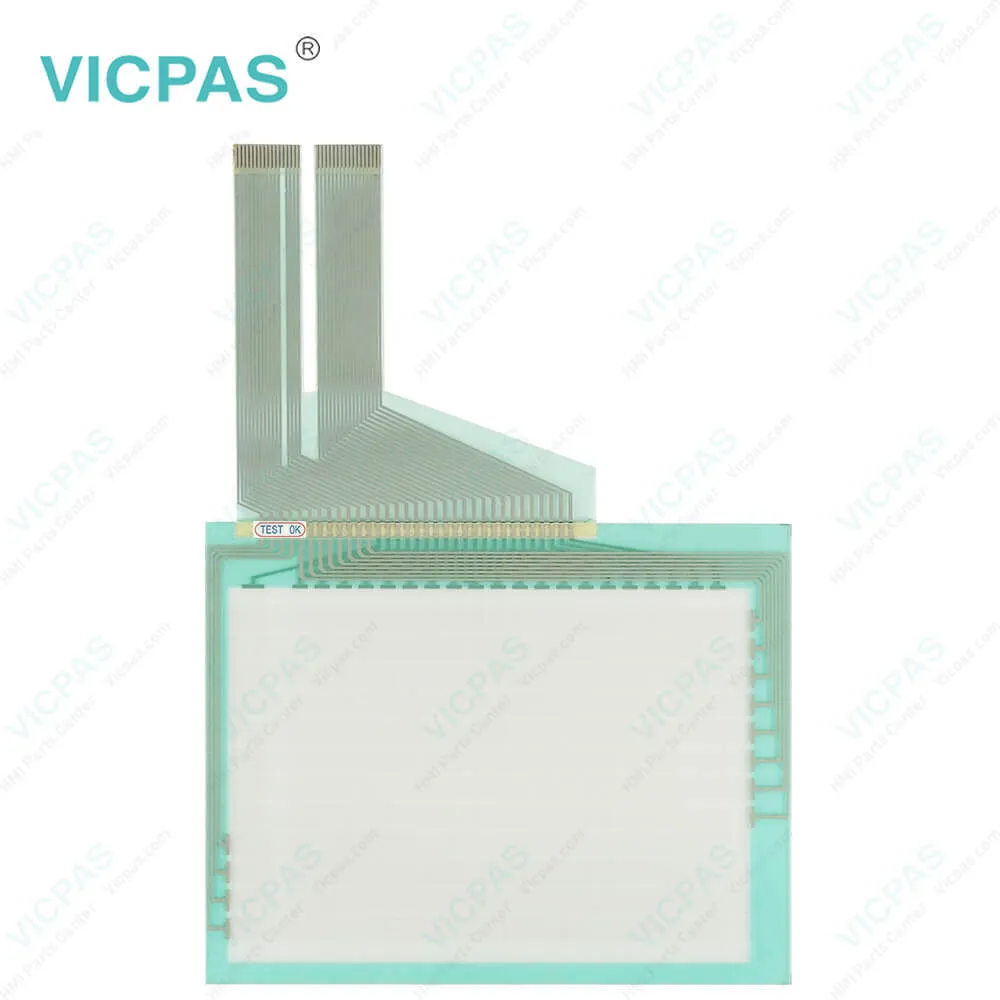
| categories | Other Fuji Hakko |
|---|---|
| Model | V4SB020T-B V4SB020T-G V4SB110J-B-37 V4SB1x0x-x |
| Warranty | 365 Days |
| Shipping | 2-3 workdays |
| FOB port | Guangzhou, Shenzhen, Hongkong |
| Terms of Payment | Western Union, MoneyGram, T/T, Paypal, PayPal, Credit Card |
| Update Time | 2026-01-31 01:45:53 |
Shipping
Specifications:
| Brand: | Fuji Hakko |
| Product Line: | Fuji Hakko V4 Series |
| Resolution: | 320 × 240 Pixels |
| Warranty: | 1-Year Warranty |
| Touch Switch: | Matrix Resistance film |
| Display Type: | STN Monochrome |
| Display Colors: | 8 grayscale |
| Operational Ambient: | 85 % RH or less |
| Power Supply: | DC24V |
| Storage Temp.: | -10℃~+60℃ |
Related BB Teach Pendant Part No.:
| V4SB020T-B V4SB020T-G V4SB110J-B-37 V4SB1x0x-x | Description | Inventory status |
| V4SB020K-B | Fuji Hakko V4 Series Touch Screen Glass Protective Film Repair | Available Now |
| V4SB020K-G | Fuji Electric V4 Series Front Overlay Touch Screen Panel Repair | In Stock |
| V4SB020T-B | Fuji Hakko V4 Series HMI Protective Film Touch Panel Replacement | In Stock |
| V4SB020T-G | Fuji Electric V4 Series MMI Front Overlay Touch Glass Replacement | In Stock |
| V4SB110J-B-37 | Fuji Electric V4 Series Touch Digitizer Glass Front Overlay Repair | Available Now |
| V4SB1x0x-x | Fuji Electric V4 Series Front Overlay Touch Screen Monitor Repair | In Stock |
| V4SC010C-B | Fuji Hakko V4 Series HMI Panel Glass Protective Film Repair | Available Now |
| V4SC010C-G | Fuji Electric V4 Series Touch Digitizer Protective Film Replacement | In Stock |
| V4SC010E-B | Fuji Electric V4 Series MMI Touch Membrane Front Overlay Repair | In Stock |
| V4SC010E-G | Fuji Electric V4 Series Protective Film HMI Touch Glass Repair | Available Now |
| V4SC010J-B | Fuji Hakko V4 Series Touch Screen Protective Film Replacement | Available Now |
| V4SC010J-G | Fuji Electric V4 Series Front Overlay MMI Touch Screen Replacement | In Stock |
| V4SC010K-B | Fuji Hakko V4 Series Protective Film Touch Panel Replacement | In Stock |
| V4SC010K-G | Fuji Electric V4 Series HMI Front Overlay Touchscreen Replacement | In Stock |
| V4SC010T-B | Fuji Hakko V4 Series Touch Screen Glass Protective Film Repair | Available Now |
| V4SC010T-G | Fuji Electric V4 Series Touch Digitizer Front Overlay Replacement | In Stock |
V4SB020T-B V4SB020T-G V4SB110J-B-37 V4SB1x0x-x Front Overlay Touch Glass PDF Download:
FAQ:
Question: My purchased Fuji Hakko HMI device has a V4SB020T-B V4SB020T-G V4SB110J-B-37 V4SB1x0x-x touchscreen malfunction, how should I deal with it?
Answer: If your Fuji Hakko HMI device experiences V4SB020T-B V4SB020T-G V4SB110J-B-37 V4SB1x0x-x touchscreen malfunction, it may be due to external impact or damage to the touchscreen. We recommend attempting to restart the device first, if the problem persists, a touchscreen replacement may be necessary. You can contact our after-sales service team for further assistance and support, and we will provide repair or replacement services to ensure the normal use of the device.
Question: I encountered a power failure issue with my Fuji Hakko V4SB020T-B V4SB020T-G V4SB110J-B-37 V4SB1x0x-x Touch Screen Front Overlay HMI device, what should I do?
Answer: If you encounter a power failure issue with your Fuji Hakko V4SB020T-B V4SB020T-G V4SB110J-B-37 V4SB1x0x-x Protective Film Touch Panel HMI device, we recommend first checking whether the device's power cord and socket are properly connected, and whether the device's power switch is turned on. If the problem persists, it may be due to damage or failure of the device's power adapter, we suggest contacting our after-sales service team for further inspection or replacement.
Question: The screen of my purchased Fuji Hakko V4SB020T-B V4SB020T-G V4SB110J-B-37 V4SB1x0x-x Touchscreen Protective Film HMI device has bright or dark spots, what should I do?
Answer: If the screen of your purchased Fuji Hakko V4SB020T-B V4SB020T-G V4SB110J-B-37 V4SB1x0x-x Front Overlay Touch Screen Glass HMI device has bright or dark spots, it may be due to panel damage. We recommend contacting our after-sales service team, providing the purchase information of the device and a description of the problem, and we will arrange for inspection or replacement services to ensure the device operates normally.
Common misspellings:
V4SB020T-B
V4SB020T-G
V4SB110J-B-37
V4SB1x0-x
V4B020T-G
V4SB1x0x-x
V4SB020-TB
V4SB02OT-G
VV4SB110J-B-37

- Mobile Phone
- *Title
- *Content
 Fast Quote
 Fast Quote
 Worldwide Shipping
 12 Months Warranty
 Customize Service