




V4SW120E-B V4SW120E-G V4SW120J-B Protective Film HMI Panel Glass
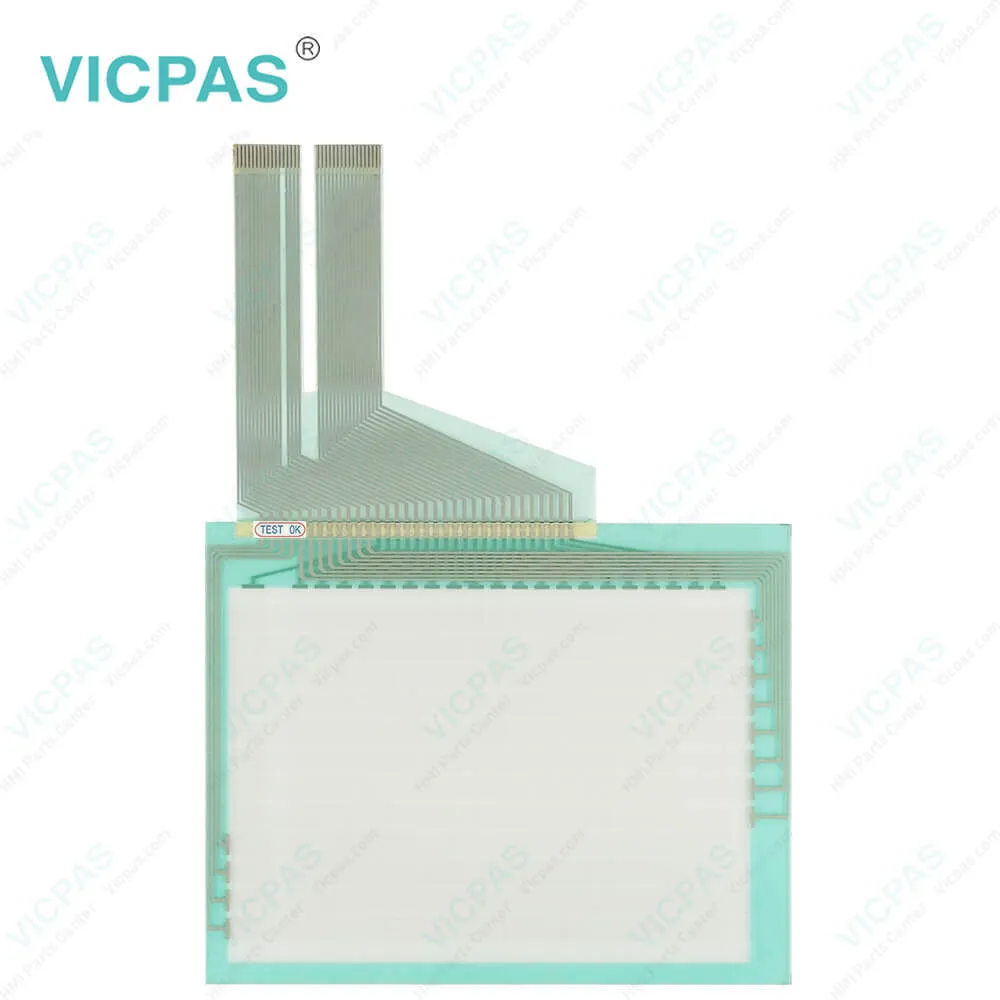
| categories | Other Fuji Hakko |
|---|---|
| Model | V4SW120E-B V4SW120E-G V4SW120J-B |
| Warranty | 365 Days |
| Product Line | Fuji Hakko V4 Series |
| Shipping | 2-3 workdays |
| FOB port | Guangzhou, Shenzhen, Hongkong |
| Terms of Payment | Western Union, MoneyGram, T/T, Paypal, PayPal, Credit Card |
| Update Time | 2026-01-31 01:46:08 |
Shipping
Specifications:
| Display Colors: | 8 grayscale |
| Display Resolution: | 320 x 240 dots |
| Display Type: | STN Monochrome |
| Product Line: | Fuji Hakko V4 Series |
| Touch Switch: | Matrix Resistance film |
| Brand: | Fuji Hakko |
| Display Size: | 5.7" |
| Power Supply: | DC24V |
| Storage Temperature: | -10 °C ~ +60 °C |
| Warranty: | 365 Days |
Related BB Teach Pendant Part No.:
| V4SW120E-B V4SW120E-G V4SW120J-B | Description | Inventory status |
| V4SW110J-G | Fuji Hakko V4 Series Touch Screen Glass Protective Film Repair | Available Now |
| V4SW110K-B | Fuji Electric V4 Series Front Overlay Touch Screen Panel Repair | In Stock |
| V4SW110K-G | Fuji Hakko V4 Series HMI Protective Film Touch Panel Replacement | In Stock |
| V4SW110T-B | Fuji Electric V4 Series MMI Front Overlay Touch Glass Replacement | In Stock |
| V4SW110T-G | Fuji Electric V4 Series Touch Digitizer Glass Front Overlay Repair | Available Now |
| V4SW120C-B | Fuji Electric V4 Series Front Overlay Touch Screen Monitor Repair | In Stock |
| V4SW120C-G | Fuji Hakko V4 Series HMI Panel Glass Protective Film Repair | Available Now |
| V4SW120E-B | Fuji Electric V4 Series Touch Digitizer Protective Film Replacement | In Stock |
| V4SW120E-G | Fuji Electric V4 Series MMI Touch Membrane Front Overlay Repair | In Stock |
| V4SW120J-B | Fuji Electric V4 Series Protective Film HMI Touch Glass Repair | Available Now |
| V4SW120J-G | Fuji Hakko V4 Series Touch Screen Protective Film Replacement | Available Now |
| V4SW120K-B | Fuji Electric V4 Series Front Overlay MMI Touch Screen Replacement | In Stock |
| V4SW120K-G | Fuji Hakko V4 Series Protective Film Touch Panel Replacement | In Stock |
| V4SW120T-B | Fuji Electric V4 Series HMI Front Overlay Touchscreen Replacement | In Stock |
| V4SW120T-G | Fuji Hakko V4 Series Touch Screen Glass Protective Film Repair | Available Now |
| V4SW1x0x-x | Fuji Electric V4 Series Touch Digitizer Front Overlay Replacement | In Stock |
V4SW120E-B V4SW120E-G V4SW120J-B Protective Film HMI Panel Glass PDF Download:
FAQ:
Question: My purchased Fuji Hakko V4SW120E-B V4SW120E-G V4SW120J-B Protective Film Touch Screen Panel HMI device has liquid leakage, what should I do?
Answer: If your Fuji Hakko V4SW120E-B V4SW120E-G V4SW120J-B Touch Membrane Front Overlay HMI device has liquid leakage, it may be due to inadequate sealing or damaged components. Please stop using the device immediately and send it to a professional repair center for inspection and repair. Liquid leakage may cause device damage and malfunction, so it's not recommended to attempt self-repair or handling.
Question: How do I install a new language pack on my Fuji Hakko V4SW120E-B V4SW120E-G V4SW120J-B Front Overlay Touch Glass HMI device?
Answer: To install a new language pack on your Fuji Hakko V4SW120E-B V4SW120E-G V4SW120J-B Touch Digitizer Glass Protective Film HMI device, you can download the corresponding language pack file from the official website and follow the instructions provided in the device manual. Typically, you'll need to copy the language pack file to the device's storage medium and then select the option to install the language pack in the device's settings menu. Please note that installing a language pack may change the device's interface language and display effects, so be sure to back up important data before proceeding.
Question: I'm experiencing issues with the V4SW120E-B V4SW120E-G V4SW120J-B touchscreen of my Fuji Hakko HMI, it's either unresponsive or not sensitive enough. What should I do?
Answer: The unresponsive or insensitive V4SW120E-B V4SW120E-G V4SW120J-B touchscreen issue may be caused by dirt or damage on the touchscreen surface. You can clean the touchscreen surface with a clean, soft cloth and avoid using cleaning agents containing alcohol or solvents. If the problem persists, it may be necessary to replace the touchscreen. Please contact our customer service team for further support and assistance.
Common misspellings:
V4SW120E-B
V4SW120E-G
V4SW120J-
VSW120J-B
V4S1W20E-G
V4SW120J-B
V4SW12OE-B
V4SW120E-BB

- Mobile Phone
- *Title
- *Content
 Fast Quote
 Fast Quote
 Worldwide Shipping
 12 Months Warranty
 Customize Service