




5AP99D.215C-01 Touch Screen Panel Replacement
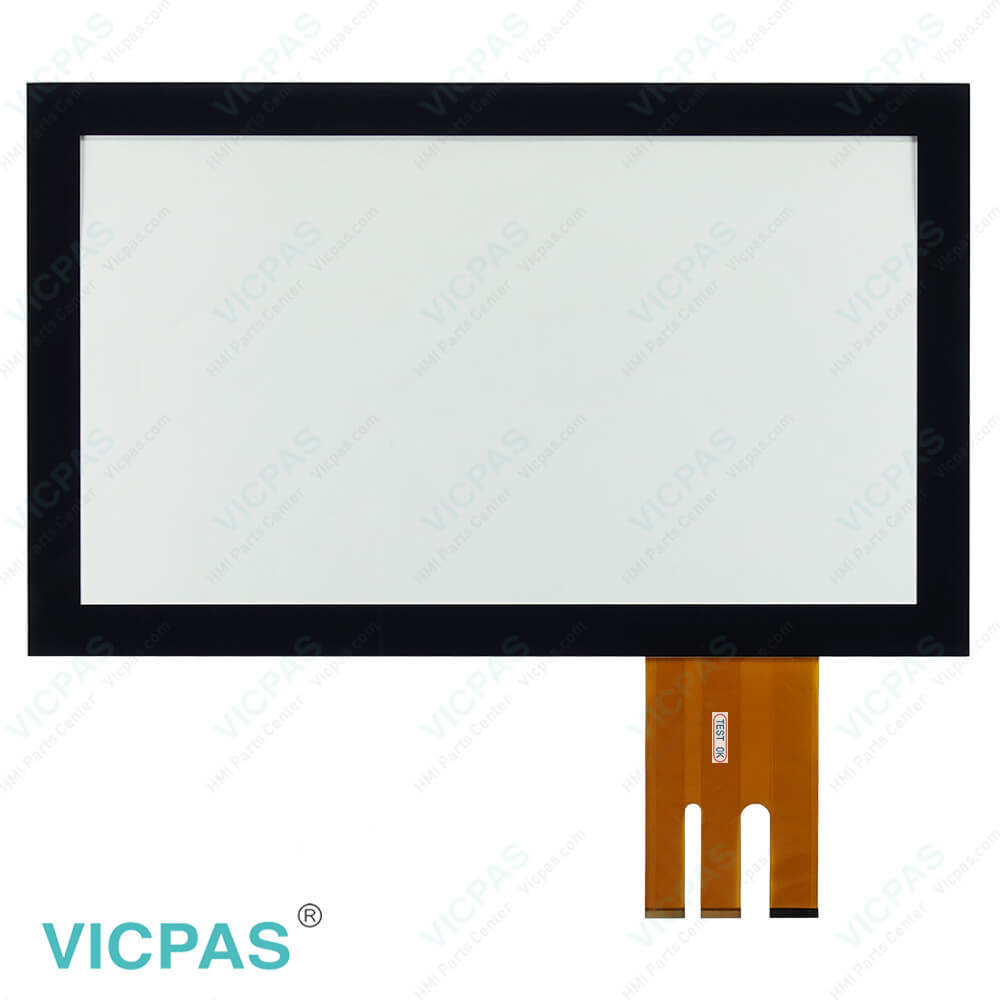
| categories | Automation Panel |
|---|---|
| Brand | B&R |
| Model | B&R Automation Panel 5AP99D.215C-01 |
| Warranty | 1 Year VICPAS Warranty |
| Touch Screen Panel Type | multi-touch PCT |
| Shipping | DHL/FedEx/UPS/TNT/EMS/Aramex /DPEX |
| FOB port | Guangzhou, Shenzhen, Hongkong |
| Terms of Payment | Western Union, T/T, PayPal, Credit Card |
| Update Time | 2026-02-09 17:27:43 |
Shipping
Specifications:
| Input Power: | 24 VDC |
| Part Number : | 5AP99D.215C-01 |
| Product Line: | Automation Panel |
| Screen diagonal: | 21.5 in |
| Warranty: | 365 days Warranty |
| Display Type: | TFT color |
| Input Type: | Touchscreen |
| Mounting position: | vertical |
| Serial interface Type: | RS232 |
| Storage: | -20 to 50°C |
Related BB Teach Pendant Part No.:
| B&R Automation Panel 5AP99D.215C-01 | Description | Inventory status |
| 5AP99D.156B-B60 | B&R Automation Panel 9xD HMI Touch Glass Replacement | Available Now |
| 5AP99D.185B-00 | B&R Automation Panel 9xD Touch Digitizer Glass | In Stock |
| 5AP99D.185B-01 | B&R Automation Panel 9xD Touch Screen Monitor | In Stock |
| 5AP99D.185B-B60 | Automation Panel 9xD B and R HMI Panel Glass Repair | Available Now |
| 5AP99D.215C-00 | B&R Automation Panel 9xD Touch Screen Monitor | In Stock |
| 5AP99D.215C-01 | Automation Panel 9xD B and R MMI Touch Screen | Available Now |
| 5AP99D.215C-B60 | B&R Automation Panel 9xD HMI Touch Screen Replacement | In Stock |
| 5AP99D.215I-00 | B&R Automation Panel 9xD Touch Digitizer Repair | In Stock |
| 5AP99D.215I-01 | Automation Panel 9xD B and R Touch Membrane Repair | Available Now |
| 5AP99D.240C-00 | B&R Automation Panel 9xD Touch Screen Glass Repair | In Stock |
| 5AP99D.240C-01 | Automation Panel 9xD B and R HMI Touch Screen Panel | Available Now |
| 5PP990.1505-K01 | B and R Industrial HMI Touch Glass Replacement | Available Now |
| 5RP920.1505-K63 Rev. D0 | B&R Automation Touch Digitizer Glass Repair | In Stock |
5AP99D.215C-01 Touch Screen Panel Replacement PDF Download:
FAQ:
Question: How do I calibrate the 5AP99D.215C-01 multi-touch capacitive screen?
Answer: Calibrating the 5AP99D.215C-01 multi-touch capacitive screen can resolve issues with inaccurate touch responses. Typically, you can find the touchscreen calibration option in the device settings. Follow the on-screen instructions for calibration. If you need assistance, refer to the user manual or contact our technical support.
Question: Does the 5AP99D.215C-01 multi-touch capacitive screen support multi-touch?
Answer: Yes, the 5AP99D.215C-01 multi-touch capacitive screen supports multi-touch technology, meaning it can recognize and respond to multiple touch points, enabling more interactive functionality. Ensure that your device and applications support multi-touch to utilize this feature fully.
Question: Why is my 5AP99D.215C-01 multi-touch capacitive screen not responding to touch?
Answer: There can be several reasons why the 5AP99D.215C-01 multi-touch capacitive screen is not responding to touch. First, ensure that the screen surface is clean and free from dirt or liquids. Also, check for any damage or improper settings. If the issue persists, please contact our technical support team for further assistance.
Common misspellings:
5AP99D.215C-1
5AP99D.21C-01
5AP9D9.215C-01
5AP99D.Z15C-01
5AP99D.215CC-01

- Mobile Phone
- *Title
- *Content
 Fast Quote
 Fast Quote
 Worldwide Shipping
 12 Months Warranty
 Customize Service