
 Fast Quote
Log in
Sign Up
Don't have an account? Sign Up
Already have an account? Log in




 Brand New In Stock
 Ships Today
 12 Months Kernfix Warranty
 Urgent Worldwide Shipping
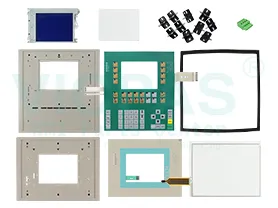
Suppy membrane keypad, LCD display, and Plastic Case for C7 operator panel series Replacement
Degree of protection: IP 65, NEMA 4x (front if mounted) / IP 20 rear
Interfaces: 1 x RJ 45 Ethernet for PROFINET / 1 x USB host
Configuration software:WinCC Basic (TIA Portal) V13 or higher
Design of display:TFT widescreen display, LED backlighting
MTBF backlighting (at 25 °C):20 000 h
SalesDeep Suppy Simens Simatic HMI Parts Catalog
How to clean the C7 series touch monitor?
Clean the monitor of your device at regular intervals using a damp cloth. Switch thedevice off or select the configured cleaning screen. This ensures that you do notunintentionally delete functions.
If the cleaning screen function is configured in your project, you can clean themonitor of the C7 Touch while it is switched on during the time displayed (in the progress bar) without unintentionally deleting functions. All inputs are disabledduring this time.
A protective film is available for the C7 Touch. This film protects the monitorfrom scratches and smudges..
Use only water and cleaning solution or a foaming screen cleaner to dampen thecloth. Spray the cleaning solution onto the cloth, rather than directly onto themonitor.
 Fast Quote
 Worldwide Shipping
 12 Months Warranty
 Customize Service