
 Fast Quote
Log in
Sign Up
Don't have an account? Sign Up
Already have an account? Log in




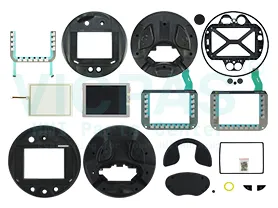
 Brand New In Stock
 Ships Today
 12 Months Kernfix Warranty
 Urgent Worldwide Shipping
Suppy touchscreen, membrane keypad and LCD display for Siemens Mobile Panel HMI Replacement
Resolution (pixels):
● Horizontal image resolution 640 Pixel
● Vertical image resolution 480 Pixel
Control elements: Keys and Touch
Type of supply voltage: DC
Design of display: TFT Display, 65536 colors
Touch operation: analog, resistive
SalesDeep Suppy Simens Simatic HMI Parts Catalog
How to servicing the Mobile Panel HMI?
The HMI device is designed for low-maintenance operation. Also take into account the system components and accessories when carrying out maintenance.The scope of maintenance includes the following function tests:
● Function test of enabling button
● Function test of emergency stop / stop button
Depending on the Safety Integrity Level SIL of your application, the function tests areperformed at the following intervals.
● SIL2: 1 x annually
● SIL3: 1 x monthly
Performing function tests
Function test of enabling button
1. Connect the HMI device to a connection box.
2. Press the enabling button to switch position 2 "Enabling".
3. Check whether the plant reacts to the "Enabling" switch position as defined.
4. Press the enabling button to switch position 3 "Panic".
5. Check whether the plant reacts to the "Panic" switch position as defined.
 Fast Quote
 Worldwide Shipping
 12 Months Warranty
 Customize Service