
 Fast Quote
Log in
Sign Up
Don't have an account? Sign Up
Already have an account? Log in




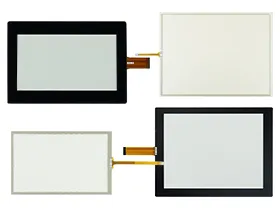
 Brand New In Stock
 Ships Today
 12 Months Kernfix Warranty
 Urgent Worldwide Shipping
Plug-and-Play Compatibility: Direct integration with Fendt interfaces for zero-configuration setup.
Multi-Touch Durability: Fully sealed capacitive touchscreens withstand moisture, dust, and temperature extremes
Real-Time Data Sync: Streamline workflows by transferring field data directly to Fendt management platforms.
Shock-Resistant Design: Reinforced frames protect against vibrations and impacts during heavy-duty use.
Troubleshooting Guide for Fendt TERMINAL Accessories
1. Terminal Not Powering On:
Confirm voltage output from the power source (fuse, connector pin, etc.)
Try powering the terminal from a secondary source or via diagnostic equipment.
Inspect the internal power regulation components or fuse modules.
2. Screen Display Issues:
Confirm secure power and data cable connections.
Check for backlight functionality — if the screen is dim but faint graphics appear, the backlight may be faulty.
Replace the LCD module if no image is displayed after checks.
3. Touch Screen Unresponsive:
Inspect all connector plugs and ribbon cables for looseness or damage.
Perform a system reboot to reinitialize the touchscreen interface.
If available, recalibrate the touch screen via system settings.
For further assistance, contact SalesDeep.
 Fast Quote
 Worldwide Shipping
 12 Months Warranty
 Customize Service