
 Fast Quote
Log in
Sign Up
Don't have an account? Sign Up
Already have an account? Log in




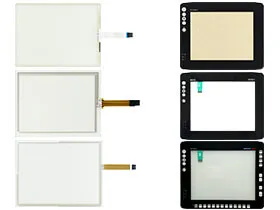
 Brand New In Stock
 Ships Today
 12 Months Kernfix Warranty
 Urgent Worldwide Shipping
Versatility: Advantech HMI Series products serve diverse industrial applications such as automated production lines, machine control, monitoring systems, and beyond.
Exceptional Performance: Our touchscreen, protective film, and membrane keypads are engineered for superior performance, ensuring equipment stability across diverse environments.
Reliability: SalesDeep products undergo stringent testing to guarantee durability and reliability, minimizing downtime risks attributed to equipment malfunctions.
Customization Options: We provide a range of customization choices to accommodate varying customer requirements, ensuring seamless integration of our products into your applications.
To calibrate Advantech HMI touchscreen, adhere to these steps:
1. Access the HMI interface.
2. Locate and select the "Settings" or "Calibration" menu.
3. Adhere to on-screen instructions to tap or press on calibration points, usually positioned at the screen's corners and center.
4. The system will automatically detect your input and execute calibration.
5. Verify calibration results to ensure precise touch input.
Should you face any challenges during calibration, refer to your device manual or contact our technical support team for assistance.
 Fast Quote
 Worldwide Shipping
 12 Months Warranty
 Customize Service