
 Fast Quote
Log in
Sign Up
Don't have an account? Sign Up
Already have an account? Log in




 Brand New In Stock
 Ships Today
 12 Months Kernfix Warranty
 Urgent Worldwide Shipping
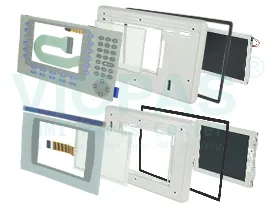
Suppy Touchscreen, Keyboard, and LCD Display for PanelView Plus 700 Terminals Replacement
Touch screen Technology: analog resistive
Display Color: Amber
Input Type:Touchscreen & Keypad
How to To clean the Allen Bradley Panelview Plus 700 display window?
ATTENTION
Use of abrasive cleaners or solvents may damage theATTENTIONdisplay. Do not scrub or use brushes.
1. Disconnect power from the terminal at the power source.
2. Use a clean sponge or soft cloth with a mild soap or detergent toclean the display.
3. Dry the display with a chamois or moist cellulose sponge toavoid water spots.
Removing Paint and Grease
Remove fresh paint splashes and grease before drying by rubbinglightly with isopropyl alcohol (70% concentration). Afterward, washusing a mild soap or detergent. Rinse with clean water.
Use a protective antiglare overlay for easier cleaning of display window.
 Fast Quote
 Worldwide Shipping
 12 Months Warranty
 Customize Service