
 Fast Quote
Log in
Sign Up
Don't have an account? Sign Up
Already have an account? Log in




 Brand New In Stock
 Ships Today
 12 Months Kernfix Warranty
 Urgent Worldwide Shipping
At SalesDeep, we prioritize strict quality control throughout production, ensuring every component delivers strength and dependable performance over time.
Our products are engineered with flexibility in mind, making them suitable for diverse industrial environments and applications.
Customers can rely on our professional support team to provide guidance for smooth installation and effective maintenance.
Through efficient logistics and prompt shipping, we help reduce equipment interruptions and keep your operations running at peak efficiency.
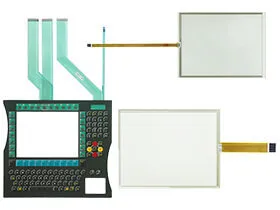
The Beckhoff CP71XX Touch Screen Issues:
Screen Issues:
No display after powering on: Inspect the device for visible screen damage or potential faults in the internal hardware.
Screen goes blank during operation: Examine the panel for cracks, defects, or loose cable connections that may be causing interruptions
Abnormal visuals on the display: Distorted colors or malfunctioning screen areas often suggest hardware failure and may require repair or replacement.
Touch panel unresponsiveness:
No response to touch input: Gently wipe the panel with a soft, dry cloth to clear dust or residue that could be affecting touch sensitivity.
Slow or delayed response time: Recalibrate the touch panel through the system’s settings menu to restore proper functionality.
 Fast Quote
 Worldwide Shipping
 12 Months Warranty
 Customize Service