
 Fast Quote
Log in
Sign Up
Don't have an account? Sign Up
Already have an account? Log in




 Brand New In Stock
 Ships Today
 12 Months Kernfix Warranty
 Urgent Worldwide Shipping
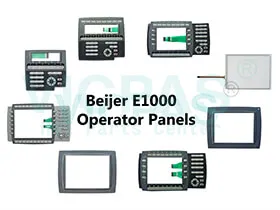
Suppy Touchscreen, Membrane Keyboard, LCD Display, and Protective Film for Beijer E1000 HMI Operator Panel Series Replacement
Front panel seal IP 66; Rear panel seal IP 20
Serial port RS422/RS485:
25-pin D-sub contact, chassis-mounted female with standard locking screws 4-40 UNC.
Serial port RS232C:
9-pin D-sub contact, male with standard locking screws4-40 UNC.
USB: Host type A (USB 1.1), max output current 500 mA
Keyboard material
Membrane switch keyboard with metal domes.
Overlay film of Autotex F157 with print on reverse side.
1 million operations.
Ambient temperature Vertical
installation: 0 ° to +50 °C
Horizontal installation: 0 ° to +40 °C
What is the number mean of the Beijer E1000 model switch?
The E1000 operator panels have four mode switches (DIP switches) located on the rear side of the operator panel. 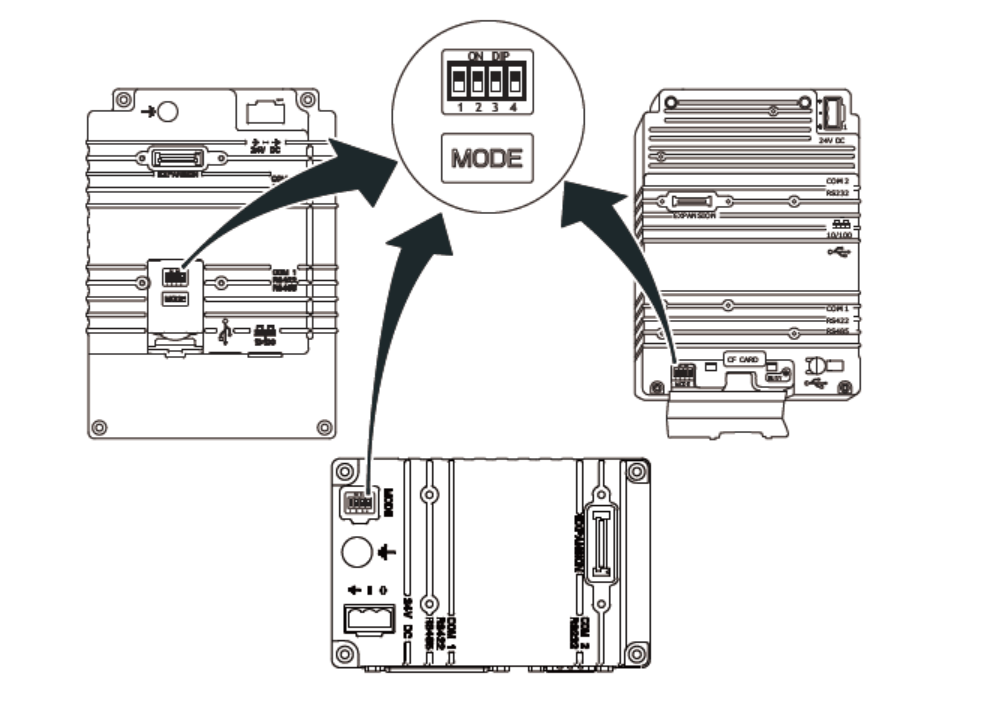
Warning:
The modes below are to be used with caution.
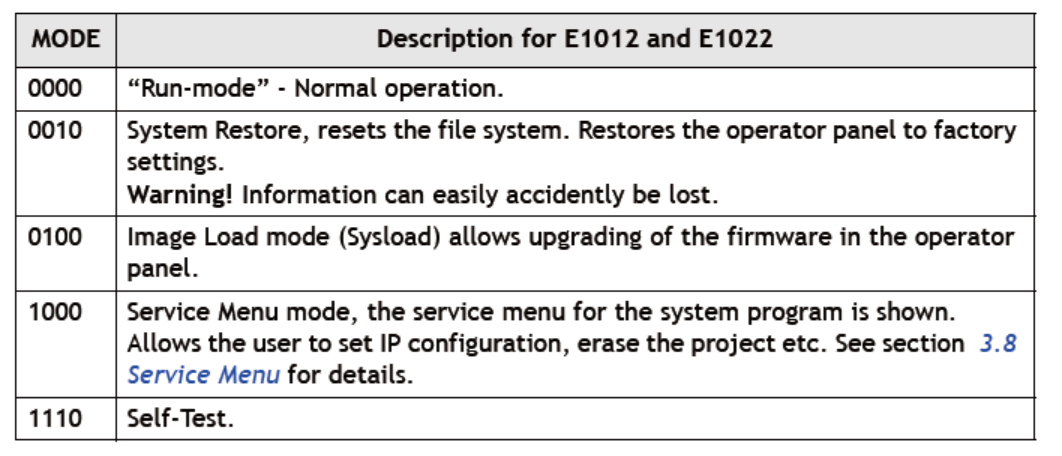
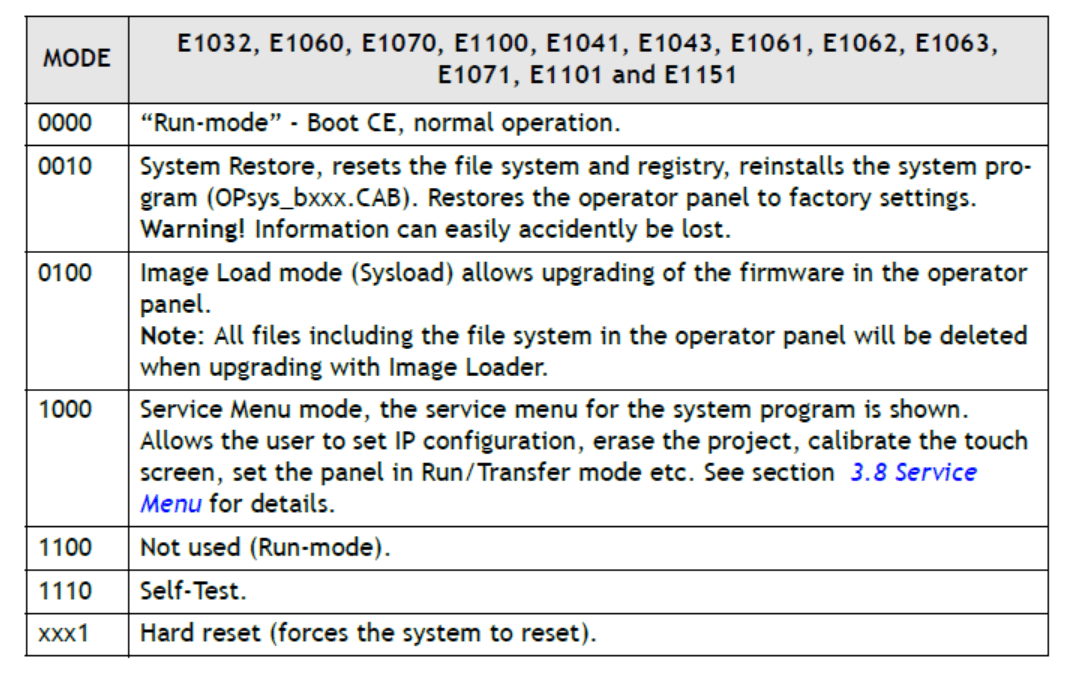
The mode switches have the following functions:
1=ON, 0=OFF
Each letter in “MODE” has a corresponding mode switch
To change mode switches, follow the steps below:
1. Disconnect power from the operator panel.
2. Set the mode switches using a ballpoint pen.
3. Reconnect power to the operator panel.
 Fast Quote
 Worldwide Shipping
 12 Months Warranty
 Customize Service