Touchscreen-Keypad-Display-Case & More Search 80000 Inventory
user photo
Account
Login
Cart
0
HOME / All / Beijer HMI/ EXTER Terminals HMI

EXTER Terminals HMI

  • Series overview
  • More information
  • Select by specs
  • Troubleshooting
  • EXTER Terminals HMI
    Brand New In StockShips Today

    12 Months Kernfix Warranty

    Urgent Worldwide Shipping

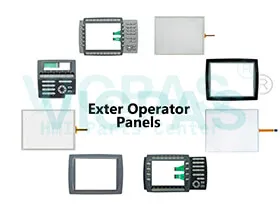
    The Beijer EXTER Terminals HMI Series, includes EXTER K10m, EXTER K20m, EXTER K30m, EXTER K70, EXTER K100, EXTER T70, EXTER T70-bl, EXTER T70sr-bl, EXTER T100, EXTER T100-bl, EXTER T100sr-bl, EXTER T150, EXTER T150-bl, EXTER M70, EXTER TA150 bl sr, EXTER T60, EXTER T60m, EXTER T60c, EXTER T150-st, EXTER T150sr-bl. Kernfix supply all kind of touchscreen, membrane keyboard keypad and LCD Display for EXTER HMI Series replacement.
  • In Stock
    • Suppy Touchscreen, Membrane Keyboard, LCD Display, and Protective Film for Beijer EXTER Terminals HMI Series Replacement

    • Front panel seal IP 66; Rear panel seal IP 20

    • Serial port RS422/RS485:
      25-pin D-sub contact, chassis-mounted female with standard locking screws 4-40 UNC.

    • Serial port RS232C:
      9-pin D-sub contact, male with standard locking screws4-40 UNC.

    • USB: Host type A (USB 1.1), max output current 500 mA

    • Keyboard material
      Membrane switch keyboard with metal domes.
      Overlay film of Autotex F157 with print on reverse side.
      1 million operations.

    • Ambient temperature Vertical
      installation: 0 ° to +50 °C
      Horizontal installation: 0 ° to +40 °C


  • Display Size
    • 12.1''
    • 10.4''
    • 6.5''
    • 5.7''
    • 15''
    • 3.5''
    • 8.4''
    • 10.1''
    • 17''
    • 19''
    • 22''
    • 18.1''
    • 7''
    • 4.3''
    • 9''
    • 24''
    Touch Operation
    • Analog-Resistive
    • Matrix
    • Capacitive
    Product Type
    • Touchscreen
    • Keypad
    • Display
    • Touchscreen Overlay
    • Touchscreen Keypad
    Display Color
    • Color
    • Monochrome
  • What is the Beijer Exter Terminals HMI Fault Tracing?


    You can use the following fault tracing list to fault trace the operator terminal. Thetable below consists of different fault scenarios and steps to follow to trace the fault
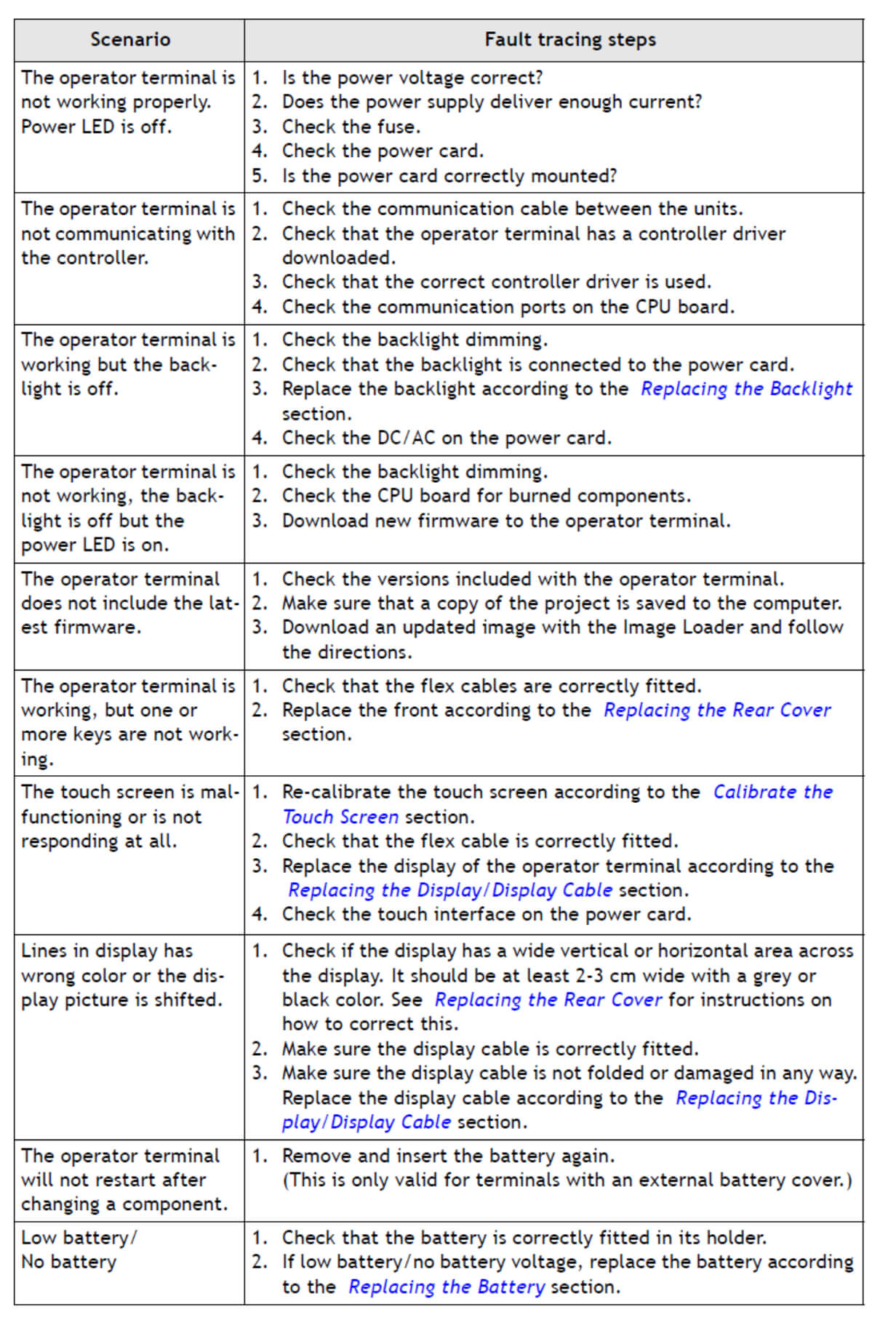

    The operator terminal is not working properly. Power LED is off.
    1. Is the power voltage correct?
    2. Does the power supply deliver enough current?
    3. Check the fuse
    4. Check the power card.
    5. Is the power card correctly mounted?


    The operator terminal is not communicating with the controller.
    1. Check the communication cable between the units.
    2. Check that the operator terminal has a controller driver downloaded.
    3. Check that the correct controller driver is used.
    4. Check the communication ports on the CPU board.


    Get More reading below
    Fault Tracing


search:
Do you want to quickly know the product quotation you need?
  • Fast QuoteFast Quote
  • Worldwide ShippingWorldwide Shipping
  • 12 Months Warranty12 Months Warranty
  • Customize ServiceCustomize Service
KEEP IN TOUCH
Please send your message to us
*Email
Mobile Phone
*Title
*Content