
 Fast Quote
Log in
Sign Up
Don't have an account? Sign Up
Already have an account? Log in




 Brand New In Stock
 Ships Today
 12 Months Kernfix Warranty
 Urgent Worldwide Shipping
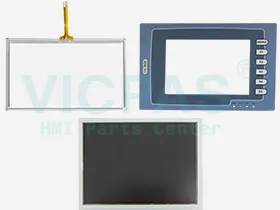
Supply Touchscreen, Protective Film, Keypad and LCD Display for Beijer H-Series HMI Replacement
ulti-functionalport: 26-pin connector for printer/64 external keys
Control elements: Keys and Touch
Keypad specifications:
1 “Menu”-key and 5 user-defined function keys (F1-F5).
Pressure: 350 ± 50 gf operating force.
Lifetime: over 1,000,000 activations.
SalesDeep Suppy Beijer HMI Parts Catalog
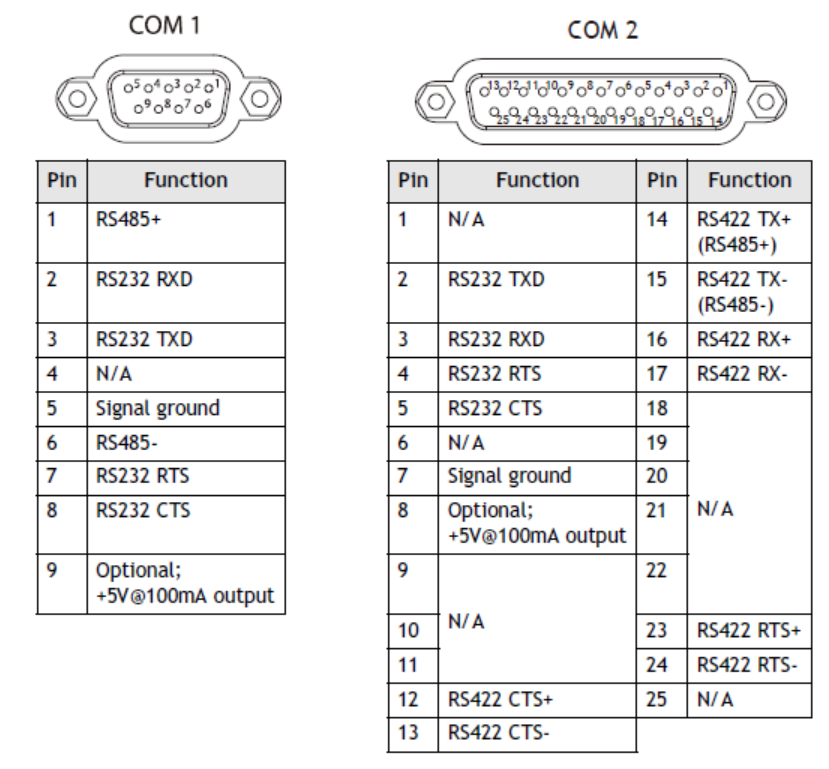
Beijer H-Series Communication Ports
COM1, a 9-pin female connector, is used to connect the operator terminal to a controller via RS232 or RS485.
COM2, a 25-pin female connector, is used to connect the operator terminal toa controller via RS232, RS422 or RS485.
LCD Contrast Adjustment
The LCD contrast can be adjusted via the touch screen using the system menucommand F4, and performing the following steps:
1. Touch the upper-left and lower-right corners of the screen.
2. Follow the route on the screen.
3. Touch the square on the center of the screen to complete the task.
The contrast can also be adjusted using the potentiometer on the back of the operator terminal.
Use a small screwdriver to turn the potentiometer (clockwise = contrast down;counter-clockwise = contrast up).
 Fast Quote
 Worldwide Shipping
 12 Months Warranty
 Customize Service