
 Fast Quote
Log in
Sign Up
Don't have an account? Sign Up
Already have an account? Log in




 Brand New In Stock
 Ships Today
 12 Months Kernfix Warranty
 Urgent Worldwide Shipping
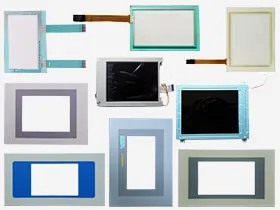
Supply touch screen, front overlay and LCD display for ESA graphic terminals Replacement
Allows to import project variables directly from the STEP 7 software.
Control elements: touchscreen
Compliance with CE standards and certified: c-UL and UL-us (UL508 CSA C22.2 No. 14-M95) and ATEX (Zone 2/22, category 3 G/D)
Display Type :Graphic LCD 4 tones of grey STN
VT155 Operator terminal with 4” graphic LCD display, 4 tones of gray, 16 rows by 40 characters (240 x 128), Touch-Screen,
How to set VT575W VT580W VT585W VT585WB alarms?
The page has the following format:
• Numeric identification of the ISA-1A alarm.
• Four rows of 70 characters of x1 dimension or alternatively two rows of 35 double-size (x2) characters for the message text.
• One row for any data field (which in that particular situation could indicatea safety or warning limit value).
• One row starting with the character [>] for the date and time of theappearance of the event (Event in).
• One row starting with:
• the character [#] for the date and time of the Event acknowledgedbut still present.
• the character [<] for the date and time of the Event out but notacknowledged.
• Graphic indication of the status of the alarm:
• Event in and not acknowledged [ ]
• Event in, present and acknowledged [ ]
• Event out and not acknowledged. [ ]
Example with three alarms: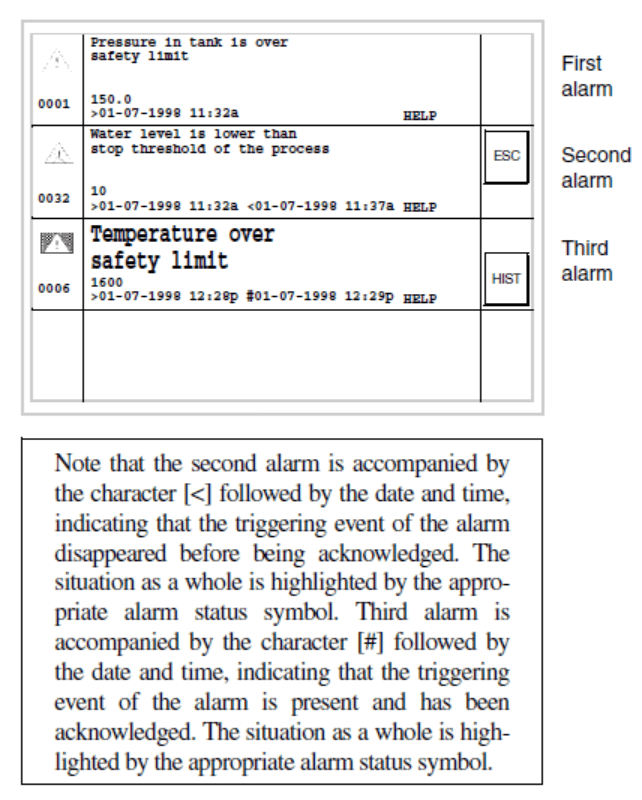
 Fast Quote
 Worldwide Shipping
 12 Months Warranty
 Customize Service