
 Fast Quote
Log in
Sign Up
Don't have an account? Sign Up
Already have an account? Log in




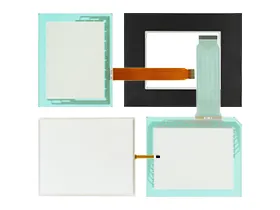
 Brand New In Stock
 Ships Today
 12 Months Kernfix Warranty
 Urgent Worldwide Shipping
Rugged Design
Wide Operating Temperature
Industrial-Grade Components
Low Power Consumption
Customizable
Easy to Use
Connectivity
The EZAutimation EZPanel PCs Touch Screen Issues:
Touchscreen issues can occur with any type of computer, including EZAutomation EZPanel PCs. Some common issues include:
Touchscreen not responding: If the touchscreen is not responding, it could be due to a software or hardware issue. Try restarting the computer or recalibrating the touchscreen to see if that resolves the issue.
Touchscreen sensitivity: If the touchscreen is too sensitive or not sensitive enough, it can be adjusted in the device settings.
Touchscreen ghosting: If you see multiple touches or cursor movements on the screen when only one finger is being used, this is called "ghosting" and can be caused by a software or hardware issue.
Touchscreen accuracy: If the touchscreen is not registering touches in the correct location, it could be due to a software or hardware issue. Try recalibrating the touchscreen or updating the device drivers.
If these common issues do not resolve the touchscreen problem with your EZAutomation EZPanel PC, you may need to contact technical support for further assistance. They can provide guidance on how to diagnose and resolve the issue.
 Fast Quote
 Worldwide Shipping
 12 Months Warranty
 Customize Service