
 Fast Quote
Log in
Sign Up
Don't have an account? Sign Up
Already have an account? Log in




 Brand New In Stock
 Ships Today
 12 Months Kernfix Warranty
 Urgent Worldwide Shipping
EZ12 Sleek and Slim, No DH+
EZ7 Detachable Display Marvel
EZ Original DH+/RIO capable
EZ9 Most cost Effective 10”.
EZ Windows HMI
EZ Touch Panelview Replacements
EZ Touch Sun-light Readable
The EZTouch HMIs Touch Screen Issues:
EZTouch HMIs (Human Machine Interfaces) are touchscreens that can be used in various applications such as industrial automation, process control, and building automation. If you are encountering issues with the touchscreen, here are some common solutions that you can try:
Calibrate the screen: Make sure that the screen is properly calibrated. If not, calibrating the screen can resolve the issue.
Clean the screen: Dust and other debris on the screen can affect its sensitivity. Clean the screen with a soft cloth and try again.
Firmware update: Check if there is a firmware update available for your EZTouch HMI. Updating the firmware can resolve various touchscreen issues.
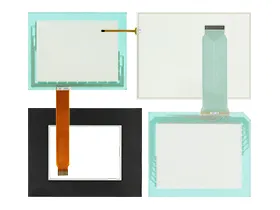
Replace the touchscreen: If the above steps do not work, it may be necessary to replace the touchscreen. Contact the SalesDeep for support.
Note: The above steps are general solutions and may vary depending on the specific model and issue. For best results, consult the user manual or contact SalesDeep for support.
 Fast Quote
 Worldwide Shipping
 12 Months Warranty
 Customize Service