Touchscreen-Keypad-Display-Case & More Search 80000 Inventory
user photo
Account
Login
Cart
0
HOME / All / Fuji Hakko/ Hakko V7 Series

Hakko V7 Series

  • Series overview
  • More information
  • Select by specs
  • Troubleshooting
  • Hakko V7 Series
    Brand New In StockShips Today

    12 Months Kernfix Warranty

    Urgent Worldwide Shipping

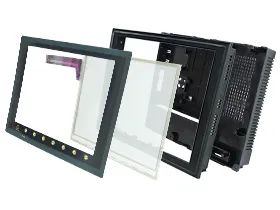
    Hakko Monitouch V7 Series Flat Panel includes V706, V708, V710, V712, V715 Series HMI, 32k-color Display, 32,768-color display makes colorful expression possible. Bitmap files are clearly displayed in brilliant colors. The CF card can be used for saving multiple screen data, sampling data, recipe data, hard copy images, and other various usages. Large-sized video capture images, JPEG or WAV files can be saved. Kernfix supply Touchscreen Panel, Protective Film Overlay, Plastic Case Cover, and LCD Display for Hakko Monitouch V7 Series Panel replacement.
  • More Hakko V7 Series HMI Information

    Waht is Hakko V7 Series HMI Function Switches?


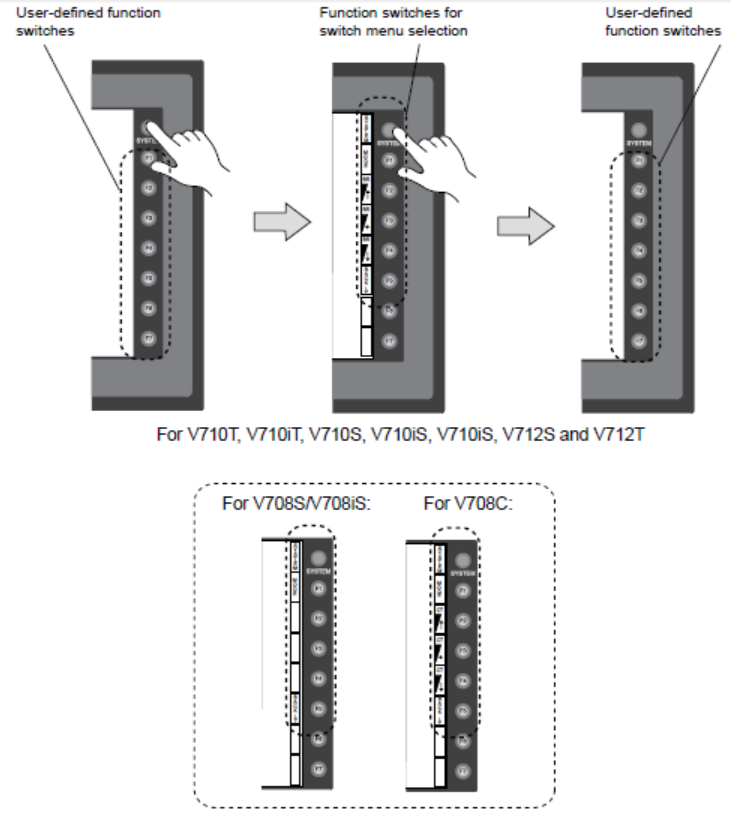
    Types: There are eight function switches provided. [SYSTEM], [F1], [F2], [F3], [F4], [F5], [F6], [F7]


    [SYSTEM] SwitchThe [SYSTEM] switch works in “alternate” operations. When this switch is pressed once, the switch menu is displayed at the side of the function switches [F1] to [F5], and each function switch corresponds to the menu item displayed in the switch menu. When the [SYSTEM] switch is pressed again, the switch menu disappears, and the function switches [F1] to [F7] work as defined by the user.
    #

    User-defined Function Switches [F1] to [F7]• When the V7 series is in the STOP mode, the function switches do not work.
    • When the V7 series is in the RUN mode and the switch menu by the [SYSTEM] switch is not displayed, the function switches can be defined by the user.
    • User-defined function switches should be set in the following dialogs of the V-SFT editor.Settings for each screen
    [Edit] → [Local Function Switch Setting] → [Function Switch Setting] dialog
    Setting for all screens
    [System Setting] → [Function Switch Setting] → [Function Switch Setting] dialog


    FUJI UG Series HMI Display Manuals Free Download:


    HAKKO Monitouch V7 Series User's Manuals PDF

    HAKKO Monitouch V706 Series User's Manuals


  • Display Size
    • 12.1''
    • 10.4''
    • 6.5''
    • 5.7''
    • 15''
    • 3.5''
    • 8.4''
    • 10.1''
    • 17''
    • 19''
    • 22''
    • 18.1''
    • 7''
    • 4.3''
    • 9''
    • 24''
    Touch Operation
    • Analog-Resistive
    • Matrix
    • Capacitive
    Product Type
    • Touchscreen
    • Keypad
    • Display
    • Touchscreen Overlay
    • Touchscreen Keypad
    Display Color
    • Color
    • Monochrome
search:
Do you want to quickly know the product quotation you need?
  • Fast QuoteFast Quote
  • Worldwide ShippingWorldwide Shipping
  • 12 Months Warranty12 Months Warranty
  • Customize ServiceCustomize Service
KEEP IN TOUCH
Please send your message to us
*Email
Mobile Phone
*Title
*Content