
 Fast Quote
Log in
Sign Up
Don't have an account? Sign Up
Already have an account? Log in




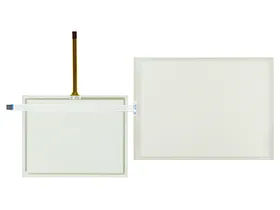
 Brand New In Stock
 Ships Today
 12 Months Kernfix Warranty
 Urgent Worldwide Shipping
Protective Covers: Protective covers or overlays help safeguard the HMI touch screen from scratches, dust, and liquid spills. They ensure the longevity and uninterrupted operation of the screen.
Enclosures: Rugged enclosures provide protection against extreme temperatures, moisture, dust, and other environmental factors. They safeguard the HMI system from physical damage and maintain optimal performance, especially in outdoor or harsh environments.
Spare Parts and Replacement Components: These accessories include a range of spare parts and replacement components specific to the HMI system. They ensure easy maintenance and minimize downtime in case of failures or malfunctions.
The QuickPanel Plus Touch Screen Issues:
Scratches: Use screen protectors or covers to prevent scratches.
Calibration Issues: Recalibrate the touch screen for accurate input recognition.
Sensitivity Problem: Adjust touch sensitivity settings and clean the screen surface.: Make sure the device is not being affected by external factors such as strong magnets or electronic devices.
Ghost Touches: Update firmware or software to eliminate ghost touches.
Cracked or Broken Screen: Replace the damaged screen.
Environmental Factors: Maintain proper temperature, humidity, and protect from liquids.
Firmware/Software Updates: Keep the device updated to address touch screen issues.
 Fast Quote
 Worldwide Shipping
 12 Months Warranty
 Customize Service