
 Fast Quote
Log in
Sign Up
Don't have an account? Sign Up
Already have an account? Log in




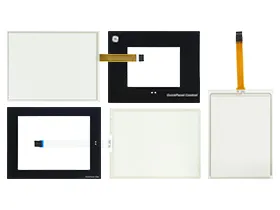
 Brand New In Stock
 Ships Today
 12 Months Kernfix Warranty
 Urgent Worldwide Shipping
Protective Covers: Protective covers shield the HMI touch screen from scratches, dust, and liquid spills, ensuring durability and uninterrupted operation.
Enclosures: Rugged enclosures offered by GE Fanuc protect the HMI system from extreme temperatures, moisture, dust, and other environmental factors in outdoor or harsh environments.
Spare Parts and Replacement Components: SalesDeep provides a variety of GE Fanuc spare parts and replacement components for easy maintenance and minimal downtime in case of failures or malfunctions.
The GE Fanuc Touch Screen Panel Issues:
Scratches and Damage: Touch screens are prone to scratches and physical damage, which can affect their responsiveness and render them unusable.
Calibration Issues: Improper calibration or misalignment can result in incorrect inputs and erratic behavior.
Sensitivity and Responsiveness: Dirt, improper handling, or wear and tear can impact the touch screen's sensitivity and responsiveness, leading to delayed or inaccurate inputs.
Interference and Noise: Interference from other devices or electrical sources can affect the touch screen's performance.
Environmental Factors: Extreme temperatures, humidity, and exposure to chemicals or liquids can cause malfunctions or damage to the touch screen.
Compatibility Issues: Incompatibility between the touch screen and HMI software or hardware can result in improper functioning or an unrecognized touch screen.
To address these issues, follow manufacturer guidelines, clean and calibrate regularly, and use high-quality, compatible touch screens and accessories for optimal performance and reliability.
 Fast Quote
 Worldwide Shipping
 12 Months Warranty
 Customize Service