
 Fast Quote
Log in
Sign Up
Don't have an account? Sign Up
Already have an account? Log in




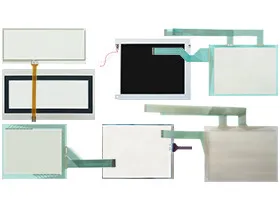
 Brand New In Stock
 Ships Today
 12 Months Kernfix Warranty
 Urgent Worldwide Shipping
Outstanding Durability: Crafted from high-quality materials, ensuring excellent performance and durability during extended use.
Wide Applicability: The HG*F series covers multiple models, catering to the diverse requirements of different IDEC HMI models, providing more options.
High-Quality Materials: Manufactured using premium materials to ensure exceptional performance and wear resistance, meeting the demands of high-intensity usage.
Professional Customer Support: Our customer support team is ready at all times to provide excellent service, ensuring a smooth shopping experience for you.
Calibrating the IDEC HG*F series touchscreen is a straightforward process. Follow these steps:: Access the device settings and locate the touchscreen calibration tool.
1. Enter Calibration Mode: On the HMI interface, locate the settings or calibration option. Enter the calibration mode.
2. Follow On-Screen Instructions: The system will display a series of calibration points. Tap on these points as prompted, ensuring accurate responses.
3. Save Calibration: Once all calibration points are completed, save the settings. The system will automatically apply the new calibration parameters.
4. Check the Effect: Test the touchscreen to ensure that the touch positions now align with the displayed positions.
 Fast Quote
 Worldwide Shipping
 12 Months Warranty
 Customize Service