
 Fast Quote
Log in
Sign Up
Don't have an account? Sign Up
Already have an account? Log in




 Brand New In Stock
 Ships Today
 12 Months Kernfix Warranty
 Urgent Worldwide Shipping
Installing the software and configuring the C-more panel EA7 series is simple. You will need the following to successfully connect and configure a project for the panel:
C-more touch panel – 6”, 8”, 10”, 12” or 15” model
C-more Programming Software, p/n EA-PGMSW
C-more programming cable, USB or Ethernet
24 VDC switching power supply (min. 1.5A, switching) or the optional C-more AC Power Adapter
Personal Computer - to run C-more programming software
PLC communications cable (serial or Ethernet) to connect the C-more Touch Panel to your controller
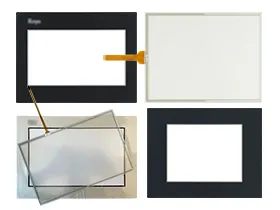
The KOYO C-more EA7 HMI Touch Screen Issues:
Improper calibration
Check for activation points that are offset from touch points. Calibrate the touch screen.
Non-functioning touch screen
Check the touch screen for damage, such as cuts or excessive wear. If there is damage, replace the terminal.
Multiple operations cannot be conducted simultaneously. Doing soresults in an unintended operation.
• Do not touch multiple input element simultaneously.
• Do not rest a hand or multiple finger on the display.
 Fast Quote
 Worldwide Shipping
 12 Months Warranty
 Customize Service