
 Fast Quote
Log in
Sign Up
Don't have an account? Sign Up
Already have an account? Log in




 Brand New In Stock
 Ships Today
 12 Months Kernfix Warranty
 Urgent Worldwide Shipping
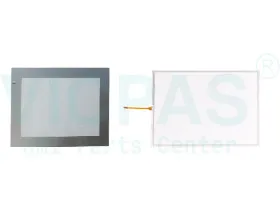
Suppy Touchscreen, Keyboard, LCD Display, and Plastic Case for Allen Bredley Panelview 600 Replacement
Touch screen Technology: analog resistive
Display Description: Color Active Matrix Thin Film Transistor (TFT)
Application Memory: 190 K Application Runtime; 240 K Flash (application objects + text + bitmaps)
Keypad Description: Stainless steel domed membrane
Actuation Rating: Keys 2 000 000 presses
Communication Ports: EtherNet/IP, DeviceNet, ControlNet, DH+, Remote I/O, DH-485, RS-232 (DH-485), RS-232 (DF1)
Operating Temperature: 0…55° C (32…131° F)
Non-Operating Temperature: -25…70° C (-13…158° F)
How to install the NSA seriesIndustrial PC
Step 1 Install a PCI Board and set the DIP switch (using a PCI Boardand Special RAS Board monitoring functions).
Step 2 Install the NSA-series Industrial PC and wire it to the operatingpanel.
Step 3 Make PS/2 port connections.
Step 4 Turn ON the 24-VDC external power supply.
Step 5 Make non-PS/2 port connections and insert card.
Step 6 Adjust the touch panel and display.
Step 7 Start up the application.
 Fast Quote
 Worldwide Shipping
 12 Months Warranty
 Customize Service