
 Fast Quote
Log in
Sign Up
Don't have an account? Sign Up
Already have an account? Log in




 Brand New In Stock
 Ships Today
 12 Months Kernfix Warranty
 Urgent Worldwide Shipping
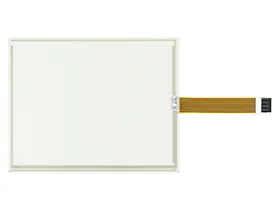
High-Quality Construction: Built with premium materials for reliable performance.
Perfect Compatibility: Custom-designed to fit the P21 model seamlessly.
Clear Display: Ensures excellent screen visibility and touch response.
Simple Installation: Easy to attach and detach, with no adhesive residue.
Robust Protection: Shields the touch screen from scratches, debris, and wear.
Cost-Effective Solution: Provides affordable protection to extend the HMI's lifespan.
Common issues with Parker P2 PowerStation HMI touch screens and their solutions:
1. Unresponsive Touch:
Reboot the HMI, clean the screen, and check for firmware updates.
2. Calibration Drift:
Recalibrate using system settings.
3. Physical Damage:
Inspect and replace the screen if damaged.
4. Ghost Touches:
Clean the screen and check for electrical interference.
5. Display Issues:
Secure display connections and adjust brightness settings.
6. Connection Problems:
Inspect and secure all connectors, replace if necessary.
These steps help maintain the performance of your Parker P2 PowerStation HMI.
 Fast Quote
 Worldwide Shipping
 12 Months Warranty
 Customize Service