
 Fast Quote
Log in
Sign Up
Don't have an account? Sign Up
Already have an account? Log in




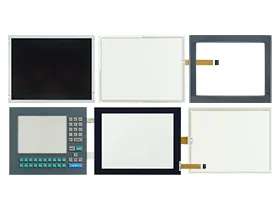
 Brand New In Stock
 Ships Today
 12 Months Kernfix Warranty
 Urgent Worldwide Shipping
Premium Construction: Made from durable materials to ensure long-lasting performance.
Perfect Fit: Precisely designed to fit models PS10, PS12, PS15, PS50, and PS51 seamlessly.
High Responsiveness: Maintains excellent touch sensitivity and clear display.
Simple Installation: Easy to install, reducing maintenance time and effort.
Enhanced Protection: Protects against physical damage and environmental wear
Common issues with Parker PS Series PowerStations HMI touch screens and case covers, along with their solutions:
1. Unresponsive Touch:
Solution: Clean the touch screen, restart the device, and check for firmware updates.
2. Inaccurate Touch Input:
Solution: Recalibrate the touch panel through the HMI's system settings.
3. Physical Damage:
Solution: Inspect for damage and replace the affected touch glass or housing.
4. Intermittent Functionality:
Solution: Ensure all connections are secure and replace any damaged cables or connectors.
5. Display Issues:
Solution: Check display connections, adjust settings, and replace the display if necessary.
These steps can help maintain the performance and reliability of your Parker PS Series PowerStations HMI.
 Fast Quote
 Worldwide Shipping
 12 Months Warranty
 Customize Service