
 Fast Quote
Log in
Sign Up
Don't have an account? Sign Up
Already have an account? Log in




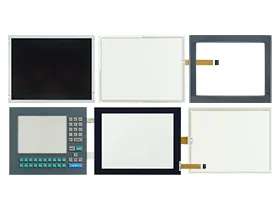
 Brand New In Stock
 Ships Today
 12 Months Kernfix Warranty
 Urgent Worldwide Shipping
High-Quality Materials: Crafted from robust materials to ensure durability and longevity.
Exact Compatibility: Custom-designed to fit various Parker HMI models perfectly.
Optimal Performance: Maintains or enhances the functionality of your HMI.
User-Friendly Installation: Easy to install, minimizing downtime and maintenance efforts.
Comprehensive Protection: Offers protection against physical damage and wear, extending the lifespan of your equipment.
Common issues with Parker HMI components and their solutions:
1. Unresponsive Touch Glass:
Solution: Clean the touch screen, restart the HMI, and check for firmware updates.
2. Worn-Out Protective Film:
Solution: Replace the protective film to restore screen clarity and touch sensitivity.
3. Faulty Keypad:
Solution: Inspect the keypad for damage and replace it if necessary.
4. LCD Screen Issues:
Solution: Check the LCD connections, adjust brightness settings, and replace the screen if required.
5. Damaged Plastic Cover Body:
Solution: Inspect the enclosure for cracks or breaks and replace it to protect internal components.
By addressing these common issues promptly, you can ensure the reliable performance and longevity of your Parker HMIs.
 Fast Quote
 Worldwide Shipping
 12 Months Warranty
 Customize Service