
 Fast Quote
Log in
Sign Up
Don't have an account? Sign Up
Already have an account? Log in




 Brand New In Stock
 Ships Today
 12 Months Kernfix Warranty
 Urgent Worldwide Shipping
The LT3000 LT4000M unit must be used indoors only.
Install and operate the LT3000 LT4000M with its front panel facing outwards.
For use on a flat surface of a Type 4X (Indoor Use Only) and/or Type 13 Enclosure.
Do not connect or disconnect Host and LT unit communication cables while the LT is turned ON.
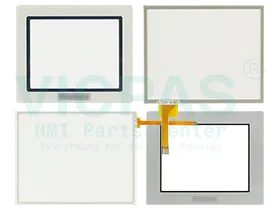
Supply Touch Panel, Front Overlay and other HMI spare parts for the LT3000 LT4000M series
The Proface LT3000 LT4000M Series HMI Touch Screen Issues:
Improper calibration
Check for activation points that are offset from touch points. Calibrate the touch screen.
Non-functioning touch screen
Check the touch screen for damage, such as cuts or excessive wear. If there is damage, replace the terminal.
Multiple operations cannot be conducted simultaneously. Doing soresults in an unintended operation.
• Do not touch multiple input element simultaneously.
• Do not rest a hand or multiple finger on the display.
 Fast Quote
 Worldwide Shipping
 12 Months Warranty
 Customize Service