
 Fast Quote
Log in
Sign Up
Don't have an account? Sign Up
Already have an account? Log in




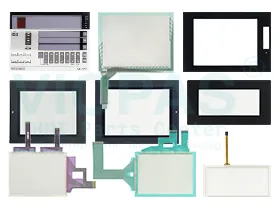
 Brand New In Stock
 Ships Today
 12 Months Kernfix Warranty
 Urgent Worldwide Shipping
High performance: Keyence's HMIs use advanced technology with high speed, precision, and reliability.
Ease of use: Keyence's HMIs are designed to be simple and intuitive, making them easy to operate and learn..
Versatility: Keyence's HMI product line covers various specifications and sizes to meet different application needs.
Customizability: Keyence's HMI parts can be customized according to user requirements to meet specific application needs.
Ease of maintenance: Keyence's HMIs use a modular design, making them easy to maintain and replace.
The Keyence Touch Screen Issues:
Slow or unresponsive touchscreen: This may be caused by dirt or damage to the touchscreen surface. Cleaning the screen or replacing the touchscreen may be a solution.
Touch panel calibration issues: Sometimes touchscreens may not be properly calibrated, causing inaccurate or incorrect touch responses. Recalibrating the touchscreen or resetting the device to factory settings may be a solution.
Cracked or broken touch glass: If the touchscreen is physically damaged, it may need to be replaced to restore proper functionality.
Software issues: Touchscreen panel problems may also be caused by software issues, such as outdated software or incompatible apps. Updating the software or using compatible apps may be a solution.
If these steps do not help, you may need to contact the manufacturer or a professional for further assistance.
 Fast Quote
 Worldwide Shipping
 12 Months Warranty
 Customize Service