
 Fast Quote
Log in
Sign Up
Don't have an account? Sign Up
Already have an account? Log in




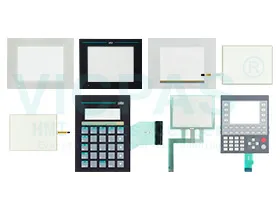
 Brand New In Stock
 Ships Today
 12 Months Kernfix Warranty
 Urgent Worldwide Shipping
High safety and reliability
Intuitive and user-friendly operation
Robust and durable design for industrial environments
High-quality display with clear visualization
Easy system integration and long service life
Troubleshooting Guide for PILZ HMI Accessories
1. Touch Screen Not Responding:
Check all cable and connector connections to ensure they are secure.
Restart the HMI to recalibrate the touch function or replace the touch panel if damaged.
2. Membrane Keypad Not Working:
Verify that the keypad connector is properly inserted into the interface port.
Inspect the keypad for cracks, wear, or contamination, and replace if necessary.
3. Protective Film Issues:
Clean the screen surface thoroughly before applying a new protective film.
Use a soft cloth or squeegee to remove bubbles and ensure full adhesion.
4. Display Problems (No Display, Flickering, or Dim Screen):
Check the display cable and power supply for loose or damaged connections.
Replace the touch screen or display module if the issue continues.
5. HMI Not Powering On:
Confirm the power input voltage meets specifications.
Inspect the power connector and internal fuse for faults.
For further assistance or replacement accessories, please contact SalesDeep.
 Fast Quote
 Worldwide Shipping
 12 Months Warranty
 Customize Service