
 Fast Quote
Log in
Sign Up
Don't have an account? Sign Up
Already have an account? Log in




 Brand New In Stock
 Ships Today
 12 Months Kernfix Warranty
 Urgent Worldwide Shipping
Avoid operating or storing the PL near chemicals, or where chemicals can come into contact with the unit.
Before opening the PL's protective cover, be sure to turn the unit's power OFF. This is because the PL's internal parts carry high voltages.
Do not use a pointed object, such as a mechanical pencil or screwdriver, to press any of the touch panel's switches, since they can damage the display.
Do not create touch panel switches that are used to either control or to ensure the safety of equipment and personnel.
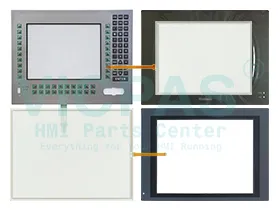
Supply Touch Screen Panel Glass, Front Overlay, Membrane Keypad Keyboard and other HMI spare parts for the Pro-face PL series
The Proface PL Series HMI Touch Screen Issues:
Improper calibration
Check for activation points that are offset from touch points. Calibrate the touch screen.
Non-functioning touch screen
Check the touch screen for damage, such as cuts or excessive wear. If there is damage, replace the terminal.
Multiple operations cannot be conducted simultaneously. Doing soresults in an unintended operation.
• Do not touch multiple input element simultaneously.
• Do not rest a hand or multiple finger on the display.
 Fast Quote
 Worldwide Shipping
 12 Months Warranty
 Customize Service