Touchscreen-Keypad-Display-Case & More Search 80000 Inventory
user photo
Account
Login
Cart
0
HOME / All / Proface/ ST3000 Series

ST3000 Series

  • Series overview
  • More information
  • Select by specs
  • Troubleshooting
  • ST3000 Series
    Brand New In StockShips Today

    12 Months Kernfix Warranty

    Urgent Worldwide Shipping

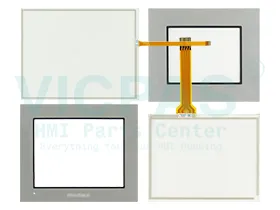
    The Proface ST3000 Series has fewer functions than the Pro-face GP3000 Series. On the Proface ST3000 Series, when using fonts other than [Japanese Standard], [ASCII Standard], or [ASCII Stroke] font, these fonts are stored in the User Screen Area. Just like in the GP-3200 Series, you can display a cross-cursor showing the touch position in the ST3000 Series. The setting should be done in offline mode. When [Check Display Pattern] is selected in the offline mode of the AST-3501C, only 16- color patterns are displayed.
  • In Stock
    • Monochrome Amber/Red LCD/Blue-mode Monochrome LCD/TFT Color LCD Display

    • Graphical Touch Screen Panel Glass sizes from 3.8” to 10.4”

    • GP-Pro EX HMI Development Environment

    • No Grid Analog Touch Panel for Improved Visibility and Precise Part Placement


  • Display Size
    • 12.1''
    • 10.4''
    • 6.5''
    • 5.7''
    • 15''
    • 3.5''
    • 8.4''
    • 10.1''
    • 17''
    • 19''
    • 22''
    • 18.1''
    • 7''
    • 4.3''
    • 9''
    • 24''
    Touch Operation
    • Analog-Resistive
    • Matrix
    • Capacitive
    Product Type
    • Touchscreen
    • Keypad
    • Display
    • Touchscreen Overlay
    • Touchscreen Keypad
    Display Color
    • Color
    • Monochrome
  • The Proface HMI Touch Screen Issues:


    Improper calibration
    Check for activation points that are offset from touch points. Calibrate the touch screen.

    Non-functioning touch screen
    Check the touch screen for damage, such as cuts or excessive wear. If there is damage, replace the terminal.

    Multiple operations cannot be conducted simultaneously. Doing soresults in an unintended operation.
    • Do not touch multiple input element simultaneously.
    • Do not rest a hand or multiple finger on the display.

search:
Do you want to quickly know the product quotation you need?
  • Fast QuoteFast Quote
  • Worldwide ShippingWorldwide Shipping
  • 12 Months Warranty12 Months Warranty
  • Customize ServiceCustomize Service
KEEP IN TOUCH
Please send your message to us
*Email
Mobile Phone
*Title
*Content