




Trimble TPI#1395-001 Rev C HMI Panel Glass Repair
| categories | Trimble |
|---|---|
| Model | TPI#1395-001 Rev C |
| Warranty | 365 Days |
| Product Line | Trimble series |
| Supply | TPI#1395-001 Rev C Touch Screen Hmi Repair Parts |
| FOB port | Guangzhou, Shenzhen, Hongkong |
| Terms of Payment | Western Union, MoneyGram, T/T, Paypal, PayPal, Credit Card |
| Update Time | 2026-01-30 20:58:26 |
Shipping
Specifications:
| Part Number : | TPI#1395-001 |
| Display Type: | STN |
| Warranty: | 365 Days |
| Product Line: | Trimble Series |
| Input Power: | +24 VDC +/-20% |
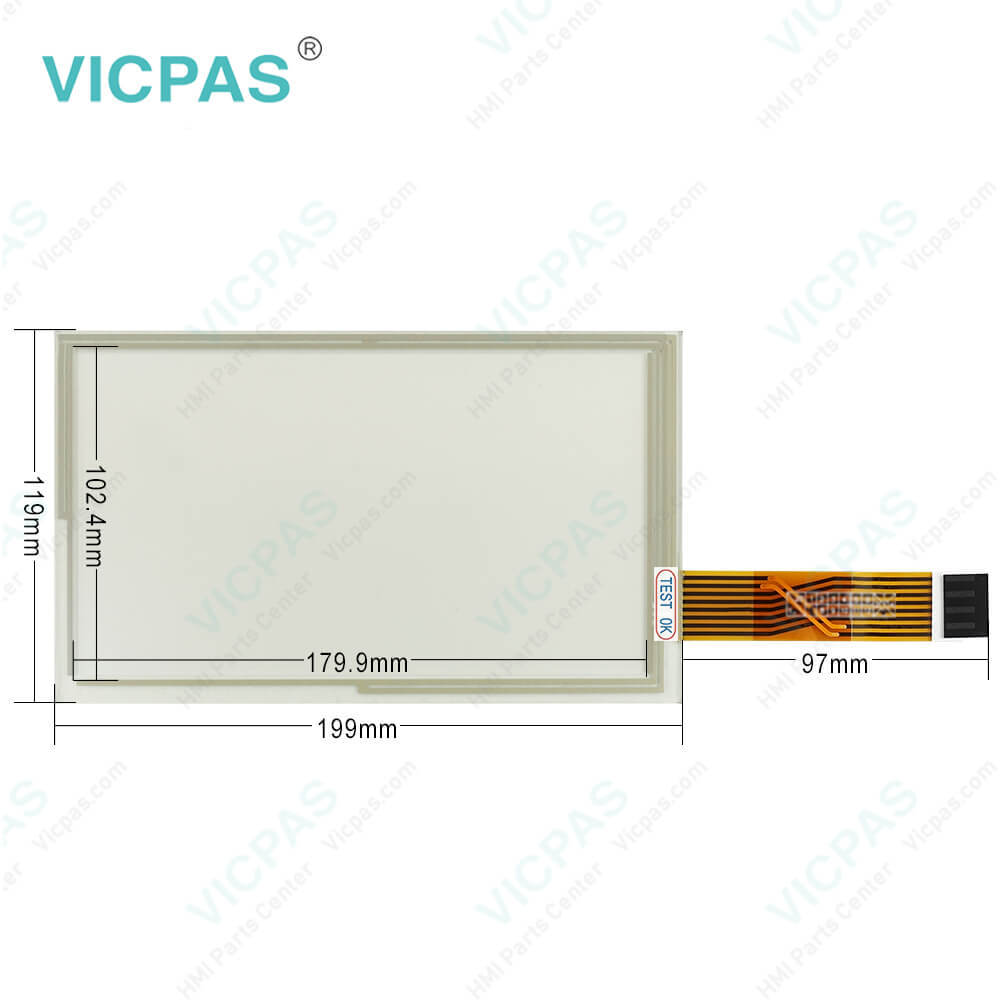
| Resolution: | 1280 x 800 dot |
| Storage Temperature: | -20°C to 60°C |
| Screen diagonal: | 7 in |
Related BB Teach Pendant Part No.:
| TPI#1395-001 Rev C | Description | Inventory status |
| TPI#1389-001 Rev C | Trimble HMI Touch Screen Monitor | In Stock |
| TPI#1389-002 Rev C | Touch Screen Glass Trimble HMI Series | Available Now |
| TPI#1395-001 Rev C | Trimble Touch Digitizer Glass Repair | In Stock |
| TPI#1405-001 Rev D | Trimble Touch Screen Panel Replacement | In Stock |
Trimble TPI#1395-001 Rev C HMI Panel Glass Repair PDF Download:
FAQ:
Question: How to discharge the Trimble® TPI#1395-001 Display System?
Answer: 1. Turn off the console or vehicle master switch.2. Completely close the main shut-off valve on the supply or nurse tank.3. Resume field application until the pressure gauge shows zero pressure.4. Check again that the console and/or vehicle master switch, and all section switches, are turned off.5. Completely close the emergency shut-off valve the cooling tower.6. Bleed and disconnect the nurse tank supply hose from the system.7. Turn on the console master switch and all section switches.8. Stand up-wind from the implement and then slowly open the bleed valve(s) until fully open.9. Allow at least one (1) hour for the system to fully discharge.10. Before you open the system, make sure that the pressure gauge on the manifold reads zero and that the cooling tower is not cold to the touch. This ensures that all liquid NH3 has evaporated and that the pressure is discharged.Note – Frost on any component is a positive indication of trapped NH3 at low pressure. Lack of frost does not always indicate a lack of NH3.
Question: What is the Trimble TPI#1395-001 Touch Screen Hmi price?
Answer: Submit a fast quote, send Kernfix an email for best price.
Common misspellings:
TPI#1395-01
TPI#395-001
TPI#1395-010
TPI#l395-001
TPI#13955-001

- Mobile Phone
- *Title
- *Content
 Fast Quote
 Fast Quote
 Worldwide Shipping
 12 Months Warranty
 Customize Service