




IC754VGF08CTD-DB IC754VGF08CTD-CB IC754VGF08CTD-AA Touch Digitizer Glass Front Overlay
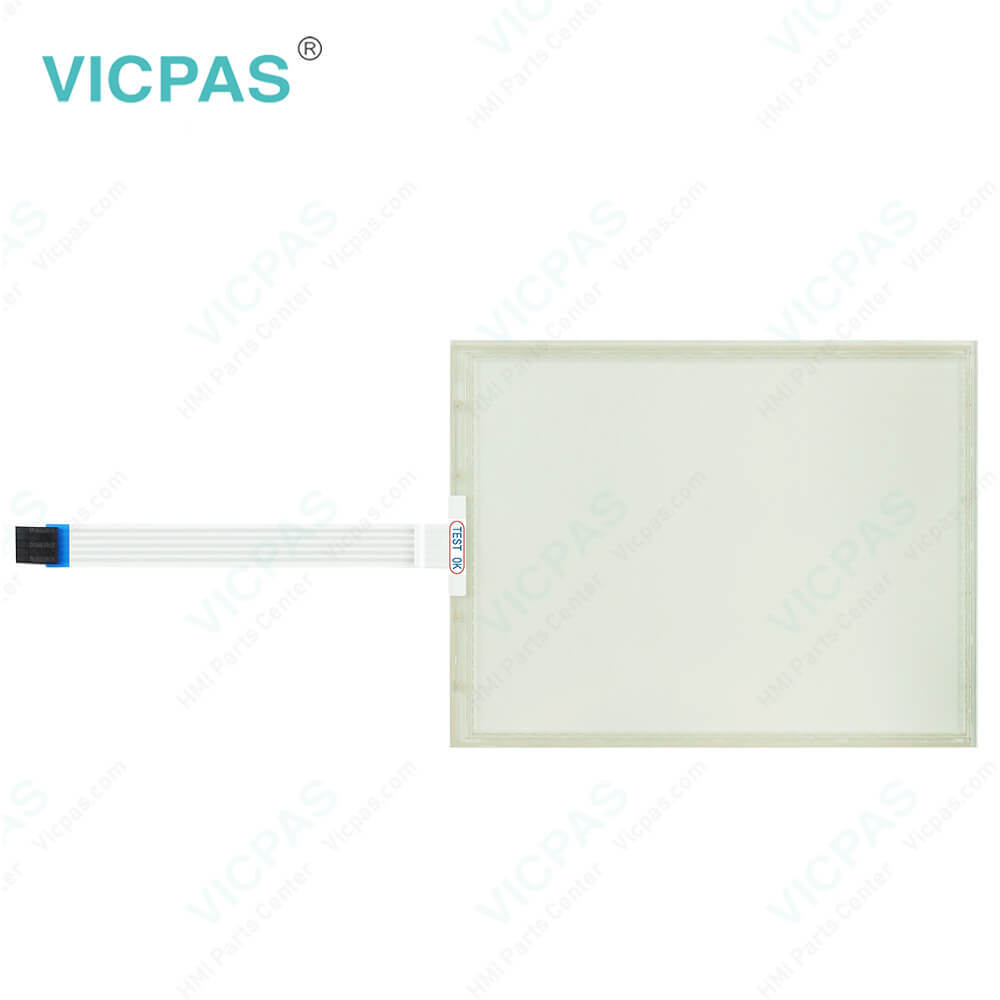
| categories | QuickPanel View |
|---|---|
| Model | IC754VGF08CTD-DB IC754VGF08CTD-CB IC754VGF08CTD-AA |
| Warranty | 365 Days |
| Product Line | GE Fanuc QuickPanel View Series |
| Supply | Touch Screen Monitor Protective Film |
| Shipping | 2-4 workdays |
| Terms of Payment | Western Union, T/T, PayPal, Credit Card |
| Update Time | 2026-01-31 01:49:20 |
Shipping
Specifications:
| Brand: | GE Fanuc |
| Display Version: | TFT-Color LCD |
| Product Line: | GE Fanuc QuickPanel View |
| Resolution: | 800 x 600 Pixels |
| Warranty: | 12 Months Warranty |
| Display Size: | 8" (Diagonal) |
| Indicators - LEDs: | bi-color (pwr), tri-color (user) |
| Input Voltage: | 10.8 to 30.0 VDC |
| Lifecycle Status: | Active |
| Touch Type: | Resistive |
Related BB Teach Pendant Part No.:
| IC754VGF08CTD-DB IC754VGF08CTD-CB IC754VGF08CTD-AA | Description | Inventory status |
| IC754VG112CTD-HH | GE FANUC QuickPanel View Touch Screen Protective Film Replacement | In Stock |
| IC754VGB06CTD | GE FANUC QuickPanel View Touch Panel Protective Film Repair | Available Now |
| IC754VGB06CTD-BA | GE FANUC QuickPanel View HMI Touch Screen Glass Protective Film | Available Now |
| IC754VGF08CTD | GE Fanuc QuickPanel View Touch Screen Panel Front Overlay Repair | In Stock |
| IC754VGF08CTD-AA | GE FANUC Quickpanel View Front Overlay Touch Membrane Replacement | In Stock |
| IC754VGF08CTD-BA | GE Fanuc QuickPanel View Touch Glass Front Overlay Repair | In Stock |
| IC754VGF08CTD-CB | GE Fanuc QuickPanel View Touch Digitizer Glass Overlay Repair | Available Now |
| IC754VGF08CTD-DB | GE FANUC Quickpanel View HMI Panel Glass Protective Film | Available Now |
| IC754VGF12CTD | GE FANUC QuickPanel View Touch Screen Monitor Front Overlay | In Stock |
| IC754VGF12CTD-FC | GE Fanuc QuickPanel View MMI Touch Screen Front Overlay Replacement | In Stock |
| IC754VGF15CTD | GE Fanuc QuickPanel View HMI Touch Screen Protective Film | Available Now |
| IC754VGF15CTD-DF | GE FANUC QuickPanel View Protective Film Touchscreen Repair | In Stock |
| IC754VGF15CTD-JH | GE Fanuc QuickPanel View Touchscreen Protective Film Repair | In Stock |
| IC754VGI06MTD | GE Fanuc QuickPanel View HMI Protective Film Touch Screen Glass | Available Now |
| IC754VGI06MTD-LH | GE Fanuc QuickPanel View Front Overlay Touch Screen Panel Repair | In Stock |
IC754VGF08CTD-DB IC754VGF08CTD-CB IC754VGF08CTD-AA Touch Digitizer Glass Front Overlay PDF Download:
FAQ:
Question: Mounting Bracket Locations
Answer: To secure the QuickPanel View/Control to a panel, use the six included mounting brackets. They hook into openings located on the top, bottom, and sides of the housing.
Question: Can I connect multiple QuickPanel View IC754VGF08CTD-DB IC754VGF08CTD-CB IC754VGF08CTD-AA devices to a single control system?
Answer: Yes, you can connect multiple QuickPanel View IC754VGF08CTD-DB IC754VGF08CTD-CB IC754VGF08CTD-AA devices to a single control system. Ensure that each device has a unique IP address and configure the communication settings accordingly.
Question: How do I perform a software update on the IC754VGF08CTD-DB IC754VGF08CTD-CB IC754VGF08CTD-AA QuickPanel View?
Answer: To perform a software update, you can use GE Fanuc's Proficy Machine Edition software. Connect to the IC754VGF08CTD-DB IC754VGF08CTD-CB IC754VGF08CTD-AA QuickPanel View via Ethernet or serial connection, and use the software to transfer the new firmware to the device.
Common misspellings:
IC754VGF08CTD-DB
IC754VGF08CTD-CB
IC754VGF08CT-AA
IC754VGF0CTD-DB
IC754VGF08CTD-AA
IC754VGF08CT-DCB
IC754VGF08CTD-C8
IC754VGF08CCTD-DB

- Mobile Phone
- *Title
- *Content
 Fast Quote
 Fast Quote
 Worldwide Shipping
 12 Months Warranty
 Customize Service