




IC754VGI06SKD-CE IC754VGI06SKD-FG IC754VSI06SKD Operator Panel Keypad
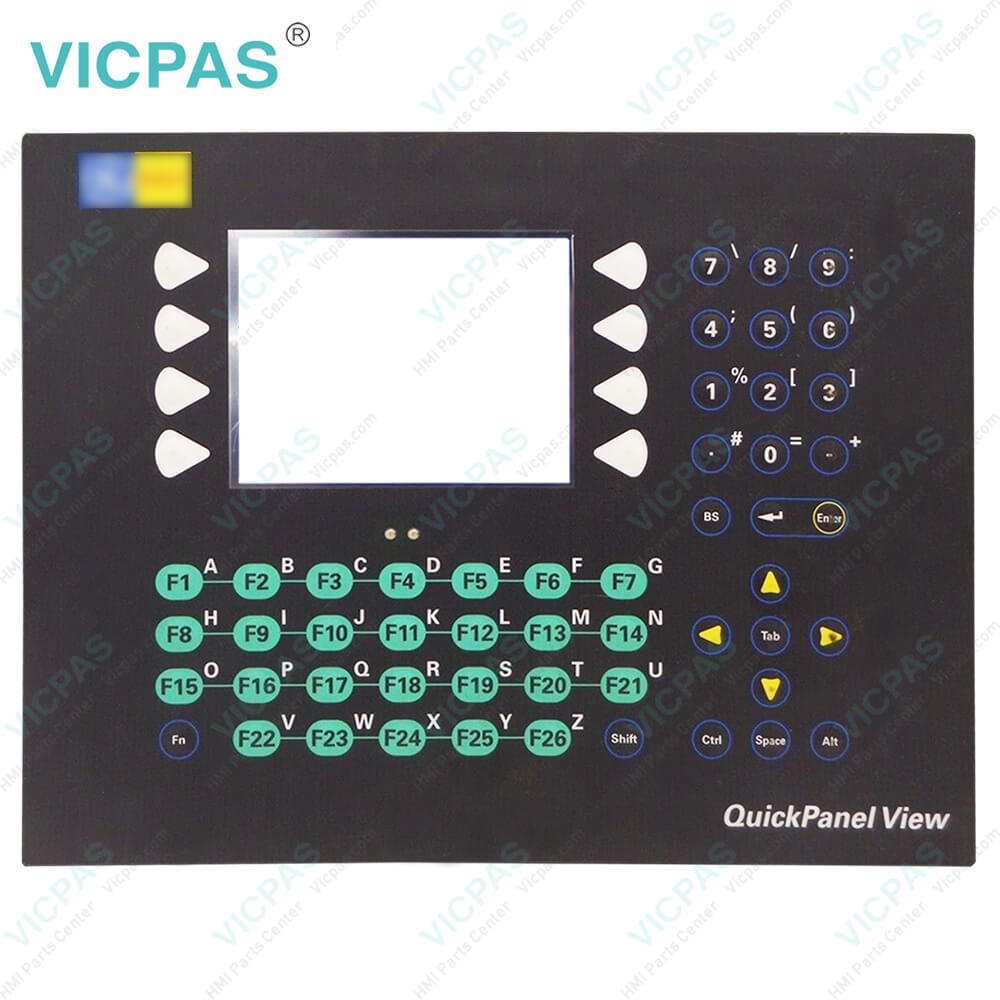
| categories | QuickPanel View |
|---|---|
| Model | IC754VGI06SKD-CE IC754VGI06SKD-FG IC754VSI06SKD |
| Warranty | 365 Days |
| Product Line | GE Fanuc QuickPanel View Series |
| Supply | GE Fanuc QuickPanel View Operator Keyboard |
| Shipping | 2-4 workdays |
| Terms of Payment | Western Union, T/T, PayPal, Credit Card |
| Update Time | 2026-01-31 01:49:30 |
Leading Time{{selectedConditionObj.leading}}
{{item.value}}
{{nameObj.name}}{{nameObj.selectedValue}}
{{valueObj.name}}
Shipping
Detail Information
Specifications:
| Front of Panel & Depth: | 13.26” x 10.34” x 0.38” |
| Display Size: | 5.7" (Diagonal) |
| Input Voltage: | 12 VDC ±20% or 24 VDC ±20% |
| Product Line: | GE Fanuc QuickPanel View |
| Storage Temperature: | -20 to 70°C (-4 to 158°F) |
| Brand: | GE Fanuc |
| Display Type: | 6” Color-STN |
| Power: | Less than 24W @ 24 VDC |
| Panel Cut-Out (W x H x D): | 11.88” x 8.96” x 2.37” |
| Warranty: | 365 Days |
Related BB Teach Pendant Part No.:
| IC754VGI06SKD-CE IC754VGI06SKD-FG IC754VSI06SKD | Description | Inventory status |
| IC754VGI06SKD | GE FANUC QuickPanel View Operator Panel Keypad Replacement | In Stock |
| IC754VGI06SKD-CB | GE FANUC QuickPanel View Keyboard Membrane Repair | Available Now |
| IC754VGI06SKD-CE | GE FANUC QuickPanel View HMI Membrane Keypad Switch | Available Now |
| IC754VGI06SKD-FG | GE Fanuc QuickPanel View Membrane Keyboard Keypad Repair | In Stock |
| IC754VGI06STD | GE FANUC Quickpanel View Front Overlay Touch Membrane Replacement | In Stock |
| IC754VGI06STD-BB | GE Fanuc QuickPanel View Touch Glass Front Overlay Repair | In Stock |
| IC754VGI06STD-GF | GE Fanuc QuickPanel View Touch Digitizer Glass Overlay Repair | Available Now |
| IC754VGI06STD-HF | GE FANUC Quickpanel View HMI Panel Glass Protective Film | Available Now |
| IC754VGI08CTD | GE FANUC QuickPanel View Touch Screen Monitor Front Overlay | In Stock |
| IC754VGI08CTD-BA | GE Fanuc QuickPanel View MMI Touch Screen Front Overlay Replacement | In Stock |
| IC754VGI08CTD-CB | GE Fanuc QuickPanel View HMI Touch Screen Protective Film | Available Now |
| IC754VGI10MTD | GE FANUC QuickPanel View Protective Film Touchscreen Repair | In Stock |
| IC754VGI10MTD-BB | GE Fanuc QuickPanel View Touchscreen Protective Film Repair | In Stock |
| IC754VGI12CTD | GE Fanuc QuickPanel View HMI Protective Film Touch Screen Glass | Available Now |
| IC754VGI12CTD-AA | GE Fanuc QuickPanel View Front Overlay Touch Screen Panel Repair | In Stock |
IC754VGI06SKD-CE IC754VGI06SKD-FG IC754VSI06SKD Operator Panel Keypad PDF Download:
FAQ:
Question: How to shut down the QuickPanel View Keypad?
Answer: 1. Quit any programs that are running and wait for all file operations to complete.
Question: How to mount the QuickPanel View Keypad in a panel?
Answer: 1. Insert the unit into the panel cutout (without a CF card in the CF port).
Common misspellings:
IC754VGI06SKD-CE
IC754VGI06SKD-FG
IC75VSI06SKD
IC754VGI06SK-FG
IC754VSI06SKD
IC754VG0I6SKD-CE
IC754VSI0bSKD
IC7554VGI06SKD-FG
Related Products

Please send your message to us
- Mobile Phone
- *Title
- *Content
 Fast Quote
 Fast Quote
 Worldwide Shipping
 12 Months Warranty
 Customize Service