




NSA15-TX12B Ormon NSA15 Serires HMI Touchscreen
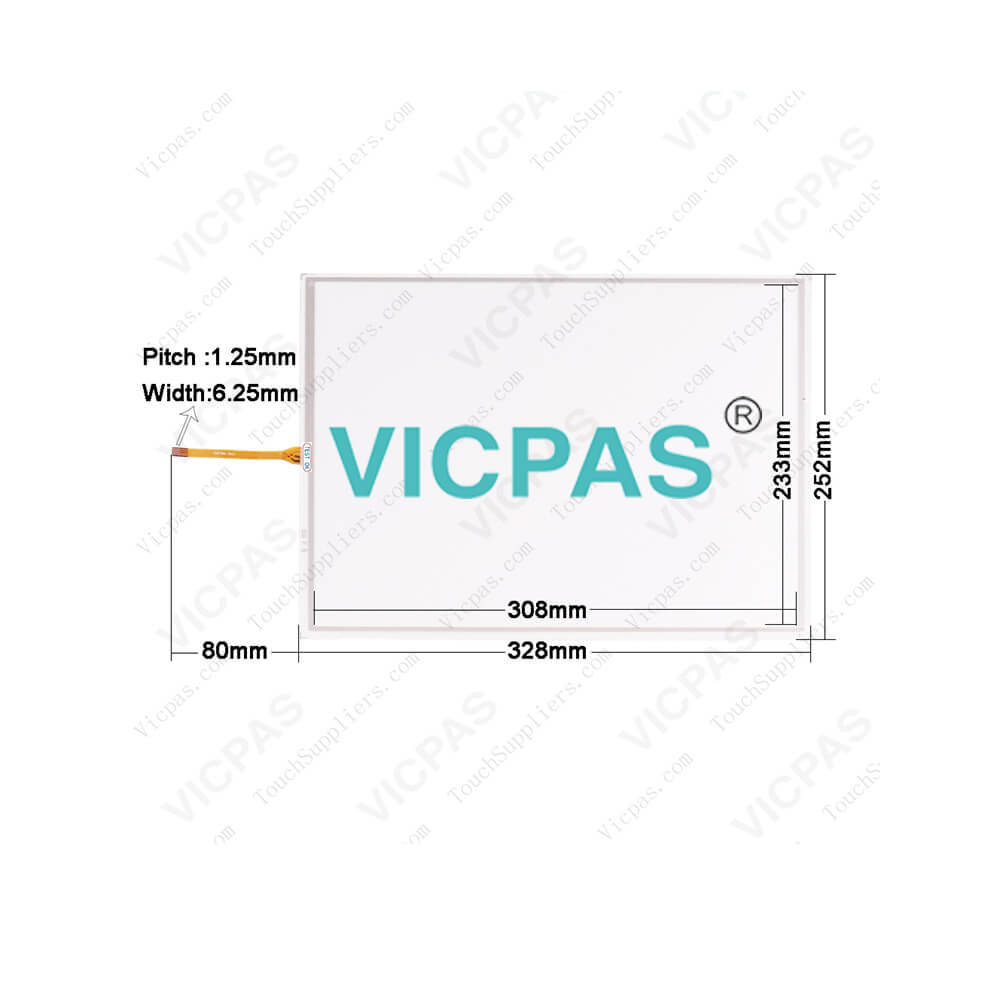
| categories | Omron NSA Series HMI |
|---|---|
| Brand | OMRON |
| Model | NSA15-TX12B |
| Warranty | 365 Days |
| Product Line | Omron NSA15 series |
| Supply | Omron NSA15 Repair Kit |
| FOB port | Guangzhou, Shenzhen, Hongkong |
| Terms of Payment | Western Union, MoneyGram, T/T, Paypal, PayPal, Credit Card |
| Update Time | 2026-02-04 02:22:20 |
Shipping
Specifications:
| Part Number : | NSA15-TX12B |
| Resolution: | 1024 x 768 |
| Screen diagonal: | 15 in |
| Warranty: | 365 Days |
| Product Line: | Omron NSA15 Series |
| Colors displayed: | 262,144 |
| Touchscreen Type: | Analog Resistive |
| Backlight Lifetime: | 50,000 hours |
| Capacity: | 2 or 4 Gbytes |
| Memory Card: | CF Card, |
Related BB Teach Pendant Part No.:
| NSA15-TX12B | Description | Inventory status |
| NSA15-TX11B | Omron NSA15 series HMI | In Stock |
| NSA15-TX12B | Omron NSA15 series HMI | In Stock |
| NSA15-TX11S | Omron NSA15 series HMI | In Stock |
| NSA15-TX12S | Omron NSA15 series HMI | In Stock |
| NSA15-TX01S-02E | Omron NSA15 series HMI | In Stock |
| NSA15-TX01B-01E | Omron NSA15 series HMI | In Stock |
| NSA15-TX01B | Omron NSA15 series HMI | In Stock |
| NSA15-TX01B-E | Omron NSA15 series HMI | In Stock |
NSA15-TX12B Ormon NSA15 Serires HMI Touchscreen PDF Download:
FAQ:
Question: What is the dimension of NSA15-TX12B Omron Touch Panel?
Answer: The Touch Screen is 15 inch.
Question: How to changing the NSA15 RAS Board Battery?
Answer: The NSA-series Industrial PC is normally mounted in a panel. Follow the stepsbelow to mount the Unit.1. Backup the maintenance status data held in the RAS board.Refer to C:\Program Files\OMRON\tools\readme.html for the backupprocedure for maintenance status data on the RAS board.2.Remove the side cover. (Refer to 3-2 Installing a PCI Board and Setting theDIP Switch.)3. Remove the RAS board battery from the clamps, and then unhook theconnectors.4.Replace the battery, and then assemble the unit in the reverse order.5. Register the maintenance status data in the RAS board.Refer to C:\Program Files\OMRON\tools\readme.html for the registrationprocedure for maintenance status data in the RAS board
Question: What is the NSA15-TX12B touchscreen, memebrane keyboard ,diplay and other HMI parts price?
Answer: Submit a fast quote, send Kernfix an email for best price.
Common misspellings:
NA15-TX12B
NS15-TX12B
NSA5-TX12B
NSA1-TX12B
NSA15TX12B

- Mobile Phone
- *Title
- *Content
 Fast Quote
 Fast Quote
 Worldwide Shipping
 12 Months Warranty
 Customize Service