




VPP21.1BOD-512D-P7D-ATMO
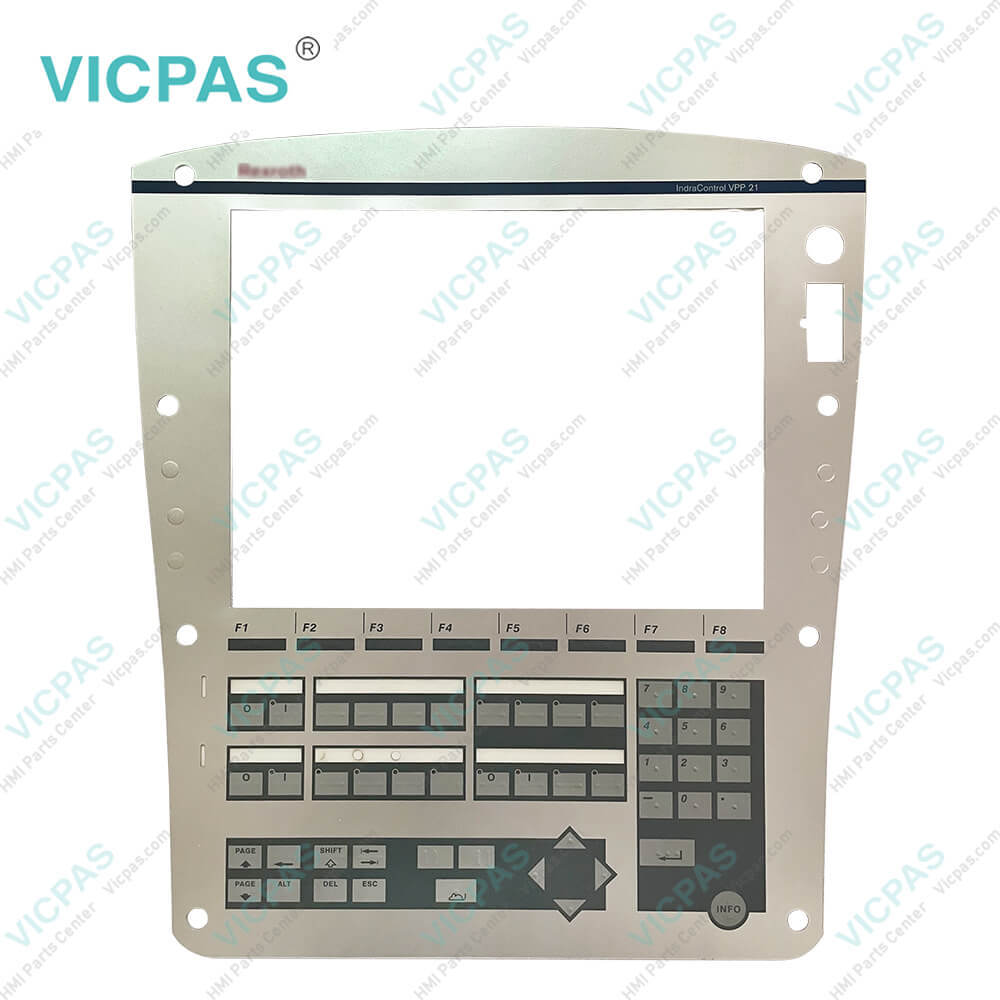
| categories | Other IndraControl |
|---|---|
| Brand | BOSCH REXROTH |
| Model | VPP21.1BOD-512D-P7D-ATMO |
| Warranty | 365 Days |
| Supply | VPP21.1BOD-512D-P7D-ATMO Operator Keypad |
| Shipping | 2-4 workdays |
| Terms of Payment | Western Union, T/T, PayPal, Credit Card |
| Update Time | 2026-01-31 01:08:12 |
Shipping
Specifications:
| Display Type: | TFT |
| Interface: | Bosch Rexroth Design |
| Maximum Power Consumption: | 48 W |
| Max. Output Power: | 38.4 W |
| Operating Temperature: | -10 °C to +40 °C |
| Brand: | Rexroth |
| Display Resolution: | 1024 x 768 |
| Part Number : | VPP21.1BOD-512D-P7D-ATMO |
| Operation Type: | Keyboard operation |
| Storage Temperature: | -20 °C to +60 °C |
Related BB Teach Pendant Part No.:
| VPP21.1BOD-512D-P7D-ATMO | Description | Inventory status |
| VPP21.1BOD-512D-P7D-ATMO | Bosch Rexroth IndraControl VPP21 Terminal Keypad Replacement | In Stock |
| VPP21.1BPD-512N-P7D-NNNN | Bosch Rexroth IndraControl VPP21 Membrane Keyboard Replacement | Available Now |
| VPP21.1BQD-512C-P7D-NNNN | Rexroth IndraControl VPP21 Membrane Keypad Replacement | In Stock |
| VPP21.1BQD-512D-P7D-NNNN | Bosch Rexroth IndraControl VPP21 HMI Membrane Switch Repair | Available Now |
VPP21.1BOD-512D-P7D-ATMO PDF Download:
FAQ:
Question: How do I update the firmware of the VPP21.1BOD-512D-P7D-ATMO Switch Membrane Hand-Held Terminal?
Answer: You can find the language option in the device's settings menu, where you can select your desired language. If you encounter difficulties, you can refer to the user manual or contact our technical support.
Question: How can I back up data on the Hand-Held Terminal?
Answer: To back up data, you can use the backup tool available on the Hand-Held Terminal. Find the backup option in the device menu and follow the on-screen instructions for the backup process.
Question: How do I roll back the firmware on the Hand-Held Terminal?
Answer: If you need to restore the Hand-Held Terminal's firmware to an earlier version, you can use a firmware rollback tool. Please note that firmware rollback may result in data loss, so it's essential to back up important data before proceeding.
Common misspellings:
VPP21.1BOD-512D-P7D-ATO
VPP21.1BOD-512D-7D-ATMO
VPP21.1BOD-51D2-P7D-ATMO
VPP21.1B0D-512D-P7D-ATMO
VPP211.1BOD-512D-P7D-ATMO

- Mobile Phone
- *Title
- *Content
 Fast Quote
 Fast Quote
 Worldwide Shipping
 12 Months Warranty
 Customize Service